

By Tech Gear Hub • Last updated: November 15, 2026
As an Amazon Associate, Tech Gear Hub earns from qualifying purchases.
Tech Gear Hub searched for the best earbuds for Zoom calls under $40 in 2026, because a good pair for video calls is not the same as a good pair for music. On Zoom, Microsoft Teams, and Google Meet, your colleagues hear your microphone, not your bass. This guide judges each pick by call quality first: clear microphones, multipoint switching, talk-time battery, and all-day comfort. Every price below was checked on Nov 15, 2026.
Quick Verdict
For most people, the Soundcore P30i is the best choice, with 4 AI microphones and Bluetooth multipoint for laptop-and-phone workers. If you call mostly from one device, the Soundcore P20i gives you a clear mic and 10 hours per charge for less money.
Table of Contents
- What makes earbuds good for Zoom calls
- Comparison table
- Soundcore P30i
- Soundcore P20i
- JLab Go Air Pop
- TOZO T10
- JBL Vibe Beam
- Who should NOT buy budget earbuds for Zoom
- Common mistakes to avoid
- Frequently asked questions
- Sources & References
What makes earbuds good for Zoom calls
A great music earbud can be a poor Zoom earbud. Music uses the drivers. Calls use the microphones, the Bluetooth connection, and the fit.
Microphone quality matters more than noise cancelling
Noise cancelling, or ANC, changes what reaches your own ears, not what your colleagues hear. The microphone does that. Look for more microphones and mic-side noise reduction, called ENC or AI-enhanced calls. That is why the Soundcore P30i, with 4 microphones and an AI algorithm, leads this guide. It is also the only pick here with ANC, rated up to 42 dB in Soundcore's lab figures.
Multipoint saves hybrid workers
Multipoint means the earbuds stay connected to two devices at once, usually a laptop and a phone. When a Zoom call starts on the laptop, the earbuds play it. When a phone call comes in, they switch. Without multipoint, every switch means reconnecting by hand. Only the Soundcore P30i has it here. The P20i does not list it, TOZO does not state it for the T10, and JBL does not list it for the original Vibe Beam.
Talk-time battery is not music battery
Brands quote battery life for music listening, usually with ANC off. Talk time is shorter, because the microphones stay active. The Soundcore P20i lists up to 10 hours per charge and 30 hours with the case for listening, but up to 6 hours and 18 hours with the case for talk time, per a secondary source citing Soundcore figures.
Comfort and the Windows hands-free problem
Comfort is a call feature, not a luxury. A bud that presses on your ear after an hour will distract you through the next meeting. The JLab Go Air Pop is the smallest and lightest of the five, a strong choice for long wear even though its microphone is the weakest of the group. Try the included tip sizes before your first important call. Windows users should also know that when the microphone turns on, Windows switches Bluetooth earbuds to the narrow hands-free profile, and the audio suddenly sounds thin and muffled.
Comparison table: the 5 picks at a glance
| Product | Microphones | Bluetooth | Multipoint | Battery (buds / case) | IP rating | Price, checked Nov 15, 2026 |
|---|---|---|---|---|---|---|
| Soundcore P30i | 4 mics with AI | 5.4 | Yes | 10h / 45h (ANC off) | IP54 | $26.99 — check current price |
| Soundcore P20i | 2 mics with AI | 5.3 | No | 10h / 30h | IPX5 | $22.99 — check current price |
| JLab Go Air Pop | 2 MEMS mics, ENC + DNS | 5.1 | No | 8h+ / 32h+ | IPX4 | Around $20–$25 — check current price |
| TOZO T10 | Dual mics, noise reduction | 5.3 | Not stated | 10h / 45h* | IPX8 | Around $23–$26 — check current price |
| JBL Vibe Beam | Built-in mic | 5.2 | No | 8h / 32h | IPX5 (buds) | $29.95 — check current price |
*TOZO T10: 10 hours per charge and 45 hours total is the standard version figure. Some listings ship an upgraded version rated up to 15 hours and 55 hours total — check which version yours is.
Soundcore P30i — Best overall for Zoom

The Soundcore P30i is the best overall pick because it is the only one with the three Zoom essentials together: a strong microphone array, multipoint, and noise cancelling. It has 4 microphones with an AI algorithm, based on the official specs, and Soundcore lists dual-device multipoint on its official compare table. When your phone rings during a laptop Zoom call, the earbuds switch without a manual reconnect. Its Advanced ANC, rated up to 42 dB in Soundcore's lab figures, cuts the room noise you hear.
Battery life is up to 10 hours per charge and 45 hours with the case with ANC off, based on the official specs, or 6 hours and 25 hours with ANC on. Ten minutes of charging gives about 2 hours of listening. The IP54 rating covers sweat and splashes, and the case doubles as a phone stand for video calls. The price is $26.99 on Amazon, checked Nov 15, 2026 — check current price, because it varies by colour. That is only about $4 more than the P20i, and multipoint alone is worth that.
Pros: 4 AI microphones; multipoint; ANC up to 42 dB; 10h per charge, 45h with the case (ANC off); phone-stand case.
Cons: price varies by colour; ANC-on battery drops to 6 hours per charge.
Soundcore P20i — Best value
The Soundcore P20i is the best value pick for Zoom calls under $40. It has 2 built-in microphones with an AI algorithm, based on the official specs, and it costs $22.99 on Amazon, checked Nov 15, 2026 — check current price. For a single-device worker, that is the cheapest genuinely good call microphone in this guide. Battery life is up to 10 hours per charge and 30 hours with the case for listening, and up to 6 hours and 18 hours with the case for talk time, per a secondary source citing Soundcore figures.
The weakness is multipoint. The P20i does not list it, its app has no multipoint toggle, and a second device disconnects the first. If you take Zoom calls on a laptop and phone calls on a phone, you will reconnect by hand every time. If you call mostly from one device, the P20i gives you almost the same call quality for less money. There is no ANC here, only passive isolation. For more, see our phone-calls earbuds guide under $50.
Pros: clear 2-mic AI call quality; 10h per charge, 30h with the case; $22.99, checked Nov 15, 2026; IPX5, Bluetooth 5.3.
Cons: no multipoint, so switching is manual; no ANC; talk time up to 6 hours, not 10.
JLab Go Air Pop — Cheapest that still works
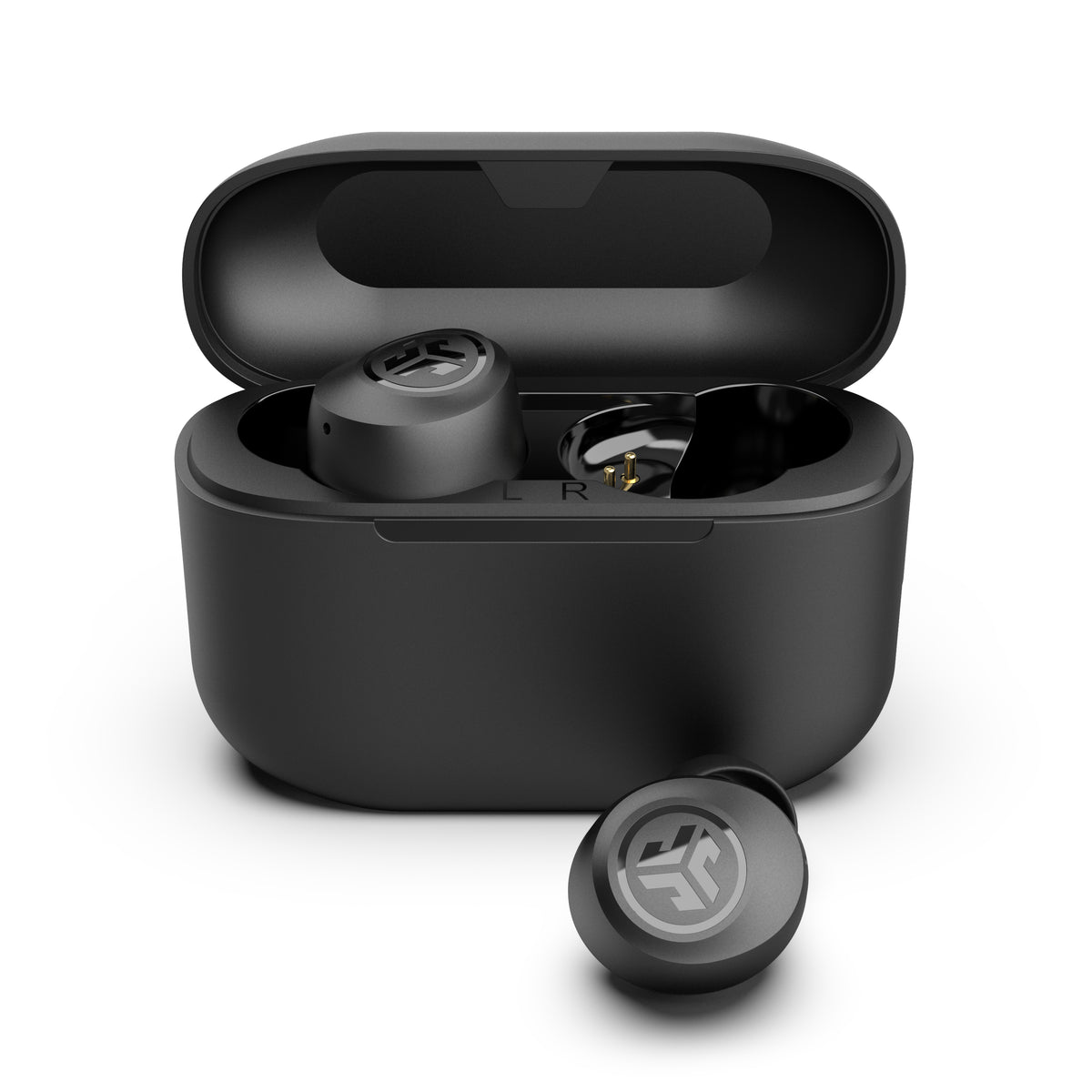
The JLab Go Air Pop is the cheapest usable Zoom earbud in this guide. It costs around $20–$25 on Amazon, checked Nov 15, 2026 — check current price. The list price is $24.99. Do not confuse it with the newer Go Air Pop+ successor (Bluetooth 5.3, USB-C, 35 hours total). This pick is the original Go Air Pop, with Bluetooth 5.1, 8+ hours per earbud, and 32+ hours total with the case. Each bud has one MEMS microphone, for 2 in total, with a 1-mic ENC and DNS algorithm. In a quiet room, your voice comes through clearly enough for Zoom and Teams.
Where the Go Air Pop wins is size and comfort. It is the smallest and lightest pick here, and easy to forget through a long run of meetings. The 6mm drivers sound fine for calls, the IPX4 rating covers sweat and light splashes, and the case has an integrated USB cable. JLab includes a 2-year warranty, and a 10-minute charge gives about 1 hour of listening. There is no multipoint here: Dual Connect means you can use either earbud on its own, not that the earbuds connect to two devices at once. For the wider budget picture, see our budget earbuds under $30 for Android guide.
Pros: cheapest pick here, around $20–$25, checked Nov 15, 2026; smallest and lightest fit; 8+ hours per earbud, 32+ hours total; 2-year warranty.
Cons: weakest microphone of the five; no multipoint; Bluetooth 5.1, the oldest version here.
TOZO T10 — Best for marathon meeting days

The TOZO T10 is the marathon pick: the best choice when you wear earbuds all day and take calls in a quiet room. The standard T10 lists up to 10 hours per charge and 45 hours total, based on the official specs. Warning: some listings now ship an upgraded version rated up to 15 hours per charge and 55 hours total, so check which version the listing you buy ships. The T10 has dual microphones with background-noise reduction for calls. In a quiet room, that is enough for Zoom. There is no multipoint claim for the T10, so treat it as not supported.
Durability is a real strength. The IPX8 rating is the highest in this guide, and the case supports wireless charging as well as USB-C. The price is around $23–$26 on Amazon, checked Nov 15, 2026 — check current price. That is the same band as the P20i, with more battery and tougher waterproofing in exchange for a weaker mic and no multipoint.
Pros: longest total battery here, 45 hours with the case; IPX8 waterproofing, the toughest rating here; wireless charging case and USB-C; around $23–$26, checked Nov 15, 2026.
Cons: weakest call story of the five, quiet rooms only; no multipoint stated; two battery versions in circulation.
JBL Vibe Beam — Most natural-sounding calls
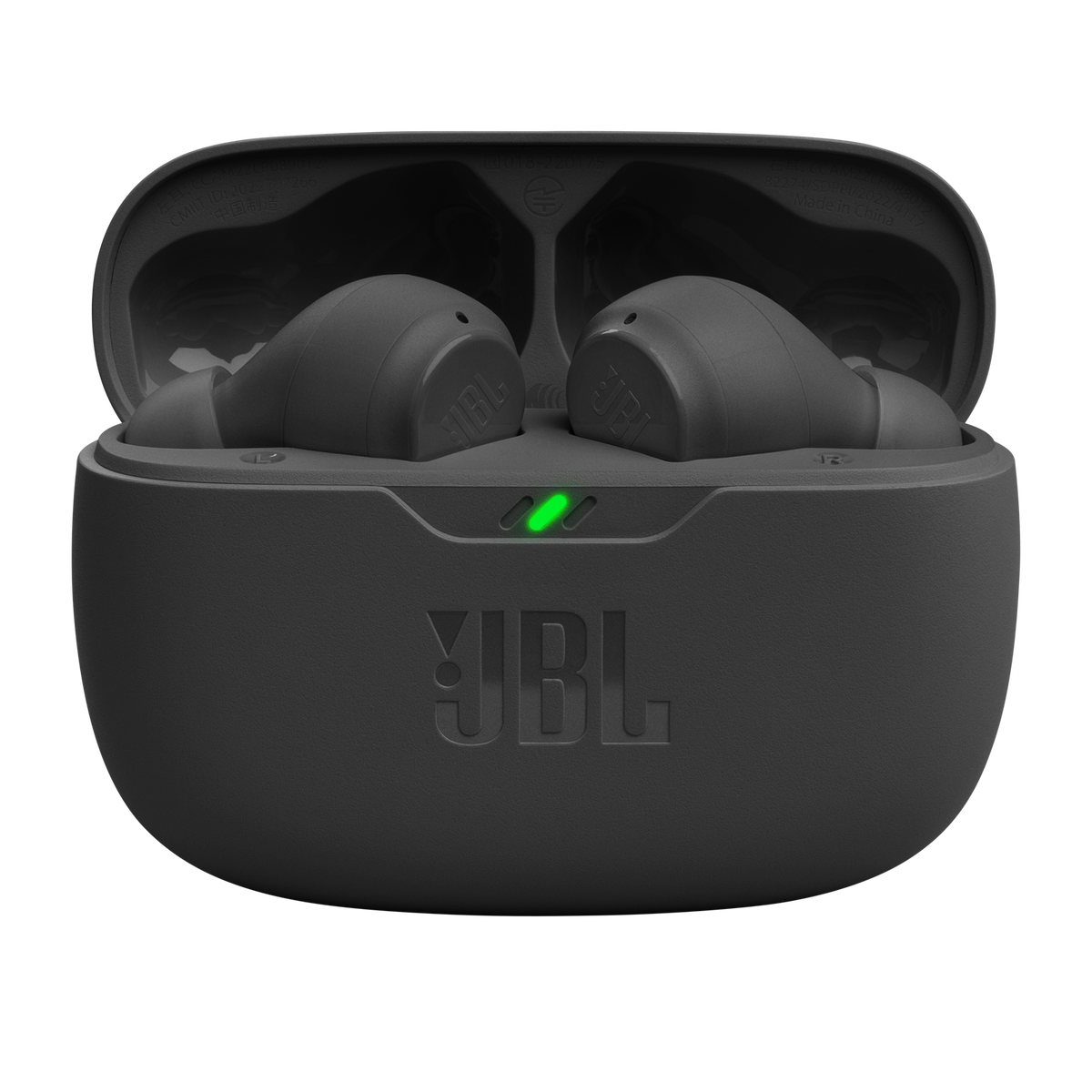
The JBL Vibe Beam is the most natural-sounding call pick here, because of a feature the others do not have: VoiceAware. VoiceAware is sidetone, which means you hear your own voice in the earbuds while you talk. Without sidetone, many people shout on Zoom without realising it. JBL does not publish a microphone count for the original Vibe Beam, so this guide does not state one. The official spec sheet says only that a built-in microphone is present. Also confirmed are TalkThru and Ambient Aware under the Smart Ambient system, hands-free stereo calls, and the JBL Headphones app.
Battery life is 8 hours per charge and 32 hours total, based on the official specs, with a 10-minute speed charge giving about 2 hours of listening. The IPX5 earbuds resist sweat and rain, and the 8mm drivers with JBL Deep Bass sound warm for music between calls. There is no ANC, only passive isolation plus Smart Ambient, and no multipoint on the original Vibe Beam. The newer Vibe Beam 2 adds multipoint, so do not confuse the two models. The price is $29.95 on Amazon, checked Nov 15, 2026 — check current price. That is the highest street price here, against a list price of $54.99.
Pros: VoiceAware sidetone, so you stop shouting on Zoom; TalkThru and Ambient Aware; warm JBL sound with 8mm drivers; 8 hours per charge, 32 hours total.
Cons: highest street price here at $29.95, checked Nov 15, 2026; no multipoint on the original model; no ANC.
A note on the stretch pick: CMF Buds Pro 2
The CMF Buds Pro 2 is strong on paper for calls, with 6 HD microphones, multipoint, and hybrid ANC. Its Amazon US price is $49.00, checked Nov 15, 2026, over the $40 cap. Treat it only as a stretch pick if its price drops under $40.
Who should NOT buy budget earbuds for Zoom
Budget earbuds are not for every caller. If you present to clients all day, buy a dedicated headset first: it holds the microphone near your mouth, and no $30 earbud matches that. If you work in a loud, shared space, budget microphones will pass that noise to your colleagues. If you need multipoint, only the P30i here connects to two devices at once. Everyone else — remote workers in quiet rooms, students, and hybrid workers — is well served by the picks in this guide.
Common mistakes to avoid
1. Buying for bass instead of the mic
Choose the pair with the biggest bass, and colleagues may barely hear you. Read the microphone section first: count the mics and look for ENC or an AI call algorithm.
2. Assuming every pair has multipoint
Buy the P20i or the Go Air Pop, and every laptop-to-phone switch needs a manual reconnect. Check for the word multipoint before you buy. Only the P30i lists it here.
3. Planning calls around the music battery number
Seeing 10 hours on the box and booking 10 hours of calls leaves you out of charge mid-afternoon. Use the talk-time figure where the brand publishes one.
4. Wrong tip size, or paying over $40 by mistake
Keeping the pre-fitted medium tips gives you a loose seal and a distant sound on every call. Try every tip size before your first important meeting. And check the price on the exact listing you buy: the P30i varies by colour, and the T10 ships in two battery versions.
Frequently asked questions
Do cheap earbuds work for Zoom and Teams calls?
Yes, many do, but performance varies more on microphone quality than on price alone. A $23 pair, like the Soundcore P20i, can sound better than a pricier pair with a weak mic.
Why do I sound muffled on Zoom with Bluetooth earbuds?
You sound muffled because Windows switches Bluetooth earbuds to the narrow hands-free profile when the microphone turns on, and that profile carries voice at much lower quality. A clearer mic sounds clearer through it.
Is multipoint Bluetooth really necessary for working from home?
Yes, multipoint is essential for hybrid workers who use a laptop and a phone every day. Without it, every incoming phone call needs a manual reconnect. Only the Soundcore P30i offers it here.
What matters more for Zoom — microphone quality or noise cancelling?
Microphone quality matters more, because noise cancelling only changes what reaches your own ears, while the microphone is what your colleagues hear. Mic-side noise reduction, called ENC or an AI call algorithm, cleans up your voice.
Are earbuds or a headset better for Zoom calls?
A headset is better if your job depends on call quality, because it holds the mic close to your mouth all day. Budget earbuds suit only quiet-room meetings and hybrid work.
Do I need to spend $300 for good work-call earbuds?
No, you do not need to spend $300. The picks here cost $20–$30 and cover the essentials: a clear microphone, enough battery for a working day, and a comfortable fit.
Sources & References
- Soundcore official P20i page — soundcore.com/nz/products/p20i
- JLab official Go Air Pop page — jlab.com/en-gb/pages/go-air-pop
- JLab Go Air Pop tech specs — jlab.com/en-au/products/go-air-pop-true-wireless-earbuds-pink
- JBL Vibe Beam specs — support.jbl.com — VIBE-BEAM
- Soundcore P20i price history — pricehistory.app — Soundcore P20i
- Soundcore P30i deal listing — buyadvanced.com — Soundcore P30i
- TOZO T10 listing — snapklik.com — TOZO T10


0 Comments