
By Tech Gear Hub • Last updated: November 13, 2026
As an Amazon Associate, Tech Gear Hub earns from qualifying purchases made through links on this page, at no extra cost to you. Prices change often, so check the current price on Amazon before you buy.

Tech Gear Hub compared the Samsung Galaxy Buds 3 Pro with the Samsung Galaxy Buds 2 Pro to answer one question: is the newer flagship earbud worth the upgrade in 2026, or is the older model the smarter buy now that it sells for far less? The short answer is that the Galaxy Buds 3 Pro sounds better, cancels noise more effectively and adds Galaxy AI features, while the Galaxy Buds 2 Pro remains a strong premium earbud at its discounted price — and for most people, the right choice comes down to how much of a discount they can find on the older model.
Quick Verdict
For most people, the Galaxy Buds 2 Pro is the better buy because it delivers about 90 percent of the Galaxy Buds 3 Pro experience — the same 24-bit Hi-Fi audio, strong ANC and compact fit — for roughly half the price when discounted. Buy the Galaxy Buds 3 Pro only if you want the best sound Samsung makes, the stem design with pinch controls, and Galaxy AI features such as Live Translate on a recent Galaxy phone.
Table of Contents
- At a Glance: Buds 3 Pro vs Buds 2 Pro
- Price and Value in 2026
- Galaxy Buds 3 Pro: What the Upgrade Actually Adds
- Galaxy Buds 2 Pro in 2026: The Discount Pick
- Design and Fit: Stem vs No-Stem
- Sound Quality: Dual Drivers and 24-Bit Audio
- Noise Cancellation and Transparency
- Galaxy AI: The Real Reason to Upgrade?
- Calls, Microphones and Everyday Use
- Battery Life Compared
- Who Should Buy — and Who Should NOT Buy
- Common Mistakes to Avoid
- Frequently Asked Questions
- Sources & References
At a Glance: Samsung Galaxy Buds 3 Pro vs Galaxy Buds 2 Pro
The Galaxy Buds 3 Pro launched in July 2024 at $249, two years after the Galaxy Buds 2 Pro arrived in August 2022 at $229. The newer model is not a small refresh: Samsung changed the design, the driver system, the Bluetooth version and the feature set. The older model, meanwhile, has quietly become one of the best value premium earbuds on the market because retailers keep cutting its price. The table below puts the official specs side by side, with our own spec-based scores at the end of each row group.
| Feature | Galaxy Buds 3 Pro | Galaxy Buds 2 Pro |
|---|---|---|
| Launch price | $249 (July 2024) | $229 (August 2022) |
| Driver system | Dual-driver: 10.5 mm dynamic woofer + 6.1 mm planar tweeter, dual amplifier | Coaxial 2-way: 10 mm woofer + 5.3 mm tweeter |
| Hi-res audio | 24-bit / 96 kHz Samsung Seamless Codec UHQ | 24-bit Hi-Fi Samsung Seamless Codec (24-bit / 48 kHz) |
| Bluetooth | Bluetooth 5.4 | Bluetooth 5.3 |
| Active noise cancellation | Adaptive ANC with 3-mic system and fit-based adjustment | Intelligent ANC with 3 high-SNR microphones |
| Battery (ANC on) | Up to 6 hours per charge, up to 26 hours with case | Up to 5 hours per charge, up to 18 hours with case |
| Battery (ANC off) | Up to 7 hours per charge, up to 30 hours with case | Up to 8 hours per charge, up to 29 hours with case |
| Water and dust resistance | IP57 (earbuds only) | IPX7 (earbuds only) |
| Weight per earbud | 5.4 g | 5.5 g |
| Design | Stem design with Blade Lights, pinch and swipe controls | Compact no-stem bulb design, tap controls |
| Galaxy AI | Interpreter, Live Translate, Adaptive EQ, Adaptive ANC | Not supported |
| 360 Audio | Yes | Yes, with Dolby Atmos and head tracking |
| Charging | USB-C and Qi wireless charging | USB-C and Qi wireless charging |
| Colors | Silver, White | Graphite, White, Bora Purple |
Two numbers in that table matter more than the rest. First, the Galaxy Buds 3 Pro plays up to 26 hours with ANC on when the charging case is counted, against 18 hours for the Galaxy Buds 2 Pro — an 8-hour gap that comes mostly from the newer model's larger 515 mAh case battery working with more efficient hardware. Second, the Galaxy Buds 3 Pro doubles the hi-res audio ceiling to 24-bit / 96 kHz, per Samsung's own product pages, while the Buds 2 Pro tops out at 24-bit / 48 kHz. Both figures only apply when the earbuds are paired with a compatible Samsung Galaxy phone, which is a detail many buyers miss.
Our Spec-Based Scores (out of 10)
| Category | Galaxy Buds 3 Pro | Galaxy Buds 2 Pro |
|---|---|---|
| Sound quality | 9.0 / 10 | 8.0 / 10 |
| Noise cancellation | 8.5 / 10 | 8.0 / 10 |
| Battery life | 8.0 / 10 | 7.0 / 10 |
| Value for money | 7.5 / 10 | 9.0 / 10 |
These are Tech Gear Hub's own editorial scores based on the official specs and the published findings of independent reviewers — not lab test results from our own testing, because we do not physically test products. The Buds 3 Pro wins on sound, noise cancelling and battery; the Buds 2 Pro wins clearly on value, which is why the final recommendation depends on price.
Price and Value in 2026
At launch, only $20 separated these two earbuds: $249 for the Galaxy Buds 3 Pro against $229 for the Galaxy Buds 2 Pro. In 2026 that gap has grown much wider, and the gap is the whole story. The Buds 3 Pro still sells close to its launch price at most major retailers, while the Buds 2 Pro has been discounted again and again as Samsung and retailers clear stock of a 2022 model.
Notebookcheck reported the Galaxy Buds 2 Pro at $129.99 on Amazon in an update dated October 5, 2026 — a $99 saving against its $229 launch price, and roughly half the price of the Buds 3 Pro. That figure is a reported deal from that date, not a price Tech Gear Hub checked today, so check the current price before buying. Even so, it shows the pattern clearly: the Buds 2 Pro regularly sells in the $130 to $150 range, while the Buds 3 Pro usually sits between $180 and $250.
That price gap changes the value math completely. At $130, the Buds 2 Pro costs about the same as a good mid-range earbud while offering flagship sound, 24-bit Hi-Fi audio, 360 Audio and wireless charging. At $249, the Buds 3 Pro has to justify itself against strong rivals such as the AirPods Pro line and Sony's flagship earbuds, not just against its own predecessor. If you find the Buds 2 Pro under $150, it is very hard to beat on value. If the two models are within $30 of each other, the Buds 3 Pro is the better buy.
One warning: only buy from the official Samsung store on Amazon or a well-rated seller. Both models are popular enough to attract counterfeits and grey-market listings, and the very cheapest listings are often international versions without a US warranty. The Amazon links in this article point to the US versions of each model — the Galaxy Buds 3 Pro in Silver and the Galaxy Buds 2 Pro in Graphite — so check the current price on those listings before deciding.
Check the current price of the Samsung Galaxy Buds 3 Pro (Silver, US version) on Amazon
Check the current price of the Samsung Galaxy Buds 2 Pro (Graphite, US version) on Amazon
Galaxy Buds 3 Pro: What the Upgrade Actually Adds
The Galaxy Buds 3 Pro is Samsung's current flagship earbud, and it shows in the hardware. The headline change is the new dual-driver system: a 10.5 mm dynamic driver handles the bass and mids, while a separate 6.1 mm planar tweeter handles the treble, each with its own amplifier. Samsung calls this its first dual-amplifier design in a Galaxy Bud, and the point of splitting the work is to reduce interference between the drivers so detail stays clean at higher volumes. The speaker system reaches frequencies up to 40 kHz, per Samsung's product page, which is what makes the 24-bit / 96 kHz hi-res audio claim possible.
The second big change is the redesign. The Buds 3 Pro has a stem — Samsung calls the shape a "blade" — with a light strip running down it that Samsung calls Blade Lights. The lights can show the charging status and can be turned off in the Galaxy Wearable app if you find them distracting. Pinch the stem to play or pause, swipe it to change the volume, and the controls sit closer to your mouth than the old tap surface did. The case is also new: it has a transparent lid so you can see the earbuds inside, and it is thinner than the Buds 2 Pro case, so it slips into a pocket more easily.
The third change is Galaxy AI. Paired with a compatible Galaxy phone, the Buds 3 Pro offers real-time Interpreter and Live Translate, so a conversation in another language can be translated into your ear as it happens. Adaptive EQ and Adaptive ANC adjust the sound and the noise cancelling based on how the earbuds fit in your ears, and the earbuds can run a hearing test to build a personal sound profile. None of these features exists on the Buds 2 Pro, and most of them need a recent Galaxy phone to work at all — on an iPhone or a non-Samsung Android phone, the Buds 3 Pro behaves like a very good ordinary Bluetooth earbud.
There is one honest caveat worth knowing before you buy. Samsung briefly paused Galaxy Buds 3 Pro shipments shortly after launch in 2024 after reports of early production quality-control issues, and told SoundGuys it was suspending deliveries to tighten quality control. Sales and shipments resumed after that, and the issue appears limited to early units, but it is a good reason to buy from an authorized seller with an easy return policy rather than the cheapest marketplace listing.
Galaxy Buds 2 Pro in 2026: The Discount Pick

The Galaxy Buds 2 Pro is four years old in 2026, and it shows its age in only a few places: no Galaxy AI, older Bluetooth 5.3, and a shorter total battery life with ANC on. Everything else about it has held up well. Its coaxial two-way driver — a 10 mm woofer and a 5.3 mm tweeter in each bud — still delivers the warm, detailed sound that made it a flagship in 2022, and its 24-bit Hi-Fi audio over Samsung Seamless Codec still works with Galaxy phones. Its 360 Audio with Dolby Atmos and head tracking is the same feature Samsung advertises on the newer model.
The design is the Buds 2 Pro's quiet advantage. At 5.5 g per bud with no stem, it is one of the smallest and most discreet premium earbuds you can buy, and it sits flush in the ear instead of sticking out. People who wear glasses, sleep with earbuds in, or wear a hat or helmet often prefer this shape. It is also 15 percent smaller than the original Galaxy Buds Pro, per Samsung, and the matte rubberized finish makes it easy to grip even though it attracts fingerprints less than glossy buds do. Three color choices — Graphite, White and Bora Purple — give it one more option than the Buds 3 Pro's two.
The trade-off is battery life with ANC on. The Buds 2 Pro is rated for up to 5 hours per charge and up to 18 hours total with the case, against 6 hours and 26 hours for the Buds 3 Pro. That 8-hour total gap is real, and it matters on long travel days. With ANC off, though, the gap nearly disappears: 8 hours per charge and 29 hours total for the Buds 2 Pro, against 7 and 30 for the Buds 3 Pro. If you mostly listen with ANC off at home or in the office, you will barely notice the difference.
For shoppers on a budget, the Buds 2 Pro is also the smarter complement to the rest of our earbud coverage. If you want to see how much less you can spend and still get good sound, our guide to the best wireless earbuds under $30 for Android shows what the budget end looks like — and the Buds 2 Pro sits in the sweet spot between that budget tier and the $249 flagship.
Design and Fit: Stem vs No-Stem
Fit is the most personal part of this comparison, and it is also the part no spec sheet can settle for you. The Galaxy Buds 3 Pro's stem design moves the microphones closer to your mouth, which helps call quality, and it gives you a physical stem to pinch and swipe instead of a flat surface to tap. The downside is that the buds stick out of your ears more, which some people dislike for looks and for comfort under a beanie or a bike helmet. The Blade Lights are a fun detail, but they are cosmetic — turn them off if you want a subtler look.
The Galaxy Buds 2 Pro takes the opposite approach: a small, rounded bulb that tucks into the ear and almost disappears. Its touch surface is on the outer face of the bud, so you tap rather than pinch. Taps can be less precise than pinches, especially with gloves or sweaty hands, but the bud itself is easier to forget you are wearing. Both models ship with multiple ear-tip sizes, and both rely on a good seal for bass and noise cancelling, so try every tip size in the box before judging either one.
Durability favors the newer model on paper. The Galaxy Buds 3 Pro carries an IP57 rating, which means protection against dust and against immersion in water up to 1 meter, while the Galaxy Buds 2 Pro is rated IPX7 — the same water protection, but with no dust rating. In practice, both are fine for workouts, runs and rain. Note that the IP rating applies to the earbuds only, not the charging case, so neither case should get wet. If you run in dusty conditions or work outdoors, the Buds 3 Pro's dust protection is a genuine plus.
Sound Quality: Dual Drivers and 24-Bit Audio
On paper, the Galaxy Buds 3 Pro has the better sound system, and independent reviewers agree. SoundGuys, which compared both models after listening to them side by side, found the Buds 3 Pro's dual-driver setup with its planar tweeter delivers more detail and a wider soundstage than the Buds 2 Pro's coaxial driver. The planar tweeter is the key part: planar drivers usually reproduce high frequencies with more control and less distortion than a conventional dynamic tweeter, so cymbals, strings and vocals sound cleaner.
The codec story matters too, but only for Samsung phone owners. The Buds 3 Pro supports Samsung Seamless Codec in Ultra High Quality mode at 24-bit / 96 kHz, while the Buds 2 Pro supports the same codec in Hi-Fi mode at 24-bit / 48 kHz, per Samsung's support pages. Both need a compatible Galaxy phone — on any other phone, both earbuds fall back to standard SBC or AAC, and the hi-res advantage disappears. If you use an iPhone, do not pay extra for the Buds 3 Pro's codec support, because you cannot use it.
The Buds 2 Pro is no slouch, though. Its 10 mm woofer gives it strong, controlled bass, and its 24-bit Hi-Fi audio still beats most earbuds at its discounted price. The difference between the two is real but subtle: it shows up most in complex music with lots of instruments, and least in podcasts, calls and casual pop. Both earbuds support 360 Audio, and both can be tuned with the equalizer in the Galaxy Wearable app — the Buds 3 Pro just adds AI-driven Adaptive EQ that adjusts the tuning to your ear shape and hearing profile.
A practical note: the Galaxy Buds 3 Pro's removable ear-tip nozzles accommodate a wider range of ear shapes, per SoundGuys, which can improve the seal and therefore the bass. If the Buds 2 Pro never sealed well for you, the Buds 3 Pro's fit system is worth trying — but buy from somewhere with free returns, because fit is the one thing you cannot judge from a review.
Noise Cancellation and Transparency
Both earbuds use hybrid active noise cancellation with three microphones, and both are good at cutting low-frequency hum such as airplane engines and air conditioning. The Galaxy Buds 3 Pro goes further with what Samsung describes as Adaptive ANC: it measures how the earbuds fit in your ears and adjusts the cancelling in real time, and it uses a side-channel microphone to catch sounds before they reach your ear canal. Samsung does not publish a decibel-reduction figure for either model, so we will not quote one here — any dB number you see for these earbuds comes from a third party, not from Samsung.
In everyday use, the Buds 3 Pro cancels a little more noise than the Buds 2 Pro, particularly in the mid-range where voices and traffic sit. The difference is noticeable on a busy street or a train, but it is not dramatic — the Buds 2 Pro was one of the best ANC earbuds of its generation, and it still holds up. Transparency mode, which lets outside sound in, is good on both, and the Buds 3 Pro adds voice-focused ambient sound that emphasizes speech when you want to hear people around you.
One small but useful detail: the Buds 3 Pro's stem puts its microphones closer to the outside world in a way that helps the ANC system react faster, while the Buds 2 Pro's compact shape can create a slightly stronger passive seal. The net result is that the Buds 3 Pro wins on ANC, but the Buds 2 Pro is close enough that ANC alone is not a reason to pay double.
Galaxy AI: The Real Reason to Upgrade?
Galaxy AI is the feature that most separates the two models, and it is also the feature with the most conditions attached. On the Galaxy Buds 3 Pro, paired with a compatible Galaxy phone, you get Interpreter for face-to-face conversations in another language, Live Translate for phone calls, and hands-free voice commands. Samsung's support page lists these as headline upgrades over the Buds 2 Pro, alongside Adaptive EQ, Adaptive ANC and personalized sound amplification of up to 10 times based on a hearing test.
For a frequent traveler or someone who regularly speaks with people in other languages, Interpreter alone can justify the upgrade — it is genuinely useful and it does not exist on the Buds 2 Pro at all. For everyone else, Galaxy AI is a nice bonus rather than a deciding factor. The Adaptive EQ and Adaptive ANC are pleasant, but they refine an experience that is already good on the Buds 2 Pro rather than transforming it.
The catch is the ecosystem lock-in. These AI features need a compatible Samsung Galaxy device running current software — Samsung lists the Galaxy S24, S25 and S26 series, the Z Fold and Z Flip lines, and recent Galaxy A series phones. If your phone is an iPhone, a Pixel or an older Galaxy, the Buds 3 Pro's AI features will not work, and you would be paying for hardware you cannot use. Check Samsung's compatibility list before buying, and if you are not in the Galaxy ecosystem, treat the Buds 3 Pro as a sound-quality upgrade only.
Calls, Microphones and Everyday Use
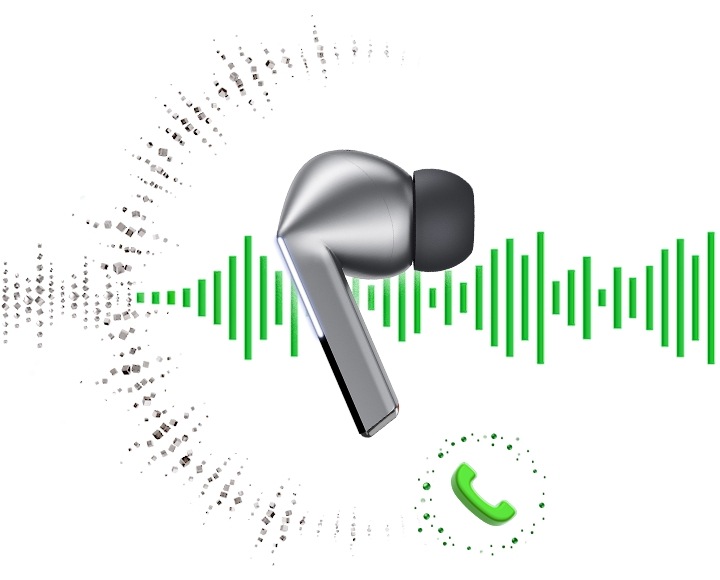
Call quality is where the Buds 3 Pro's stem design earns its keep. Its six microphones sit closer to your mouth than the Buds 2 Pro's three, and Samsung uses a larger voice model and a wider 16 kHz voice bandwidth to keep your voice natural while suppressing background noise. Samsung calls the result "super clear call," and the design is the reason: a stem microphone simply picks up less wind and room noise than a microphone buried in a bulb-shaped bud.
The Buds 2 Pro is still a capable call headset — its three high-SNR microphones were designed to track and remove outside sound, including soft sounds like wind, per Samsung — but it cannot match the newer model's clarity in noisy places. If you take a lot of calls while walking outside or commuting, the Buds 3 Pro is the better tool. If your calls happen mostly in a quiet room, the difference shrinks to almost nothing.
Everyday usability is a tie in most respects. Both cases charge over USB-C and wirelessly, both support fast charging, and both pair quickly with Galaxy phones. The Buds 3 Pro adds Bluetooth 5.4, which brings better privacy and security handling than the Buds 2 Pro's Bluetooth 5.3, and its case is thinner with a clear lid. The Buds 2 Pro's case is fully opaque with a grippy matte finish, but it scratches more easily. Neither model offers multipoint pairing with non-Samsung devices, which is a limitation worth knowing if you switch between a laptop and a phone from different brands.
Battery Life Compared
Battery life is the clearest practical win for the Galaxy Buds 3 Pro. Samsung rates it at up to 6 hours of music playback with ANC on and up to 7 hours with ANC off, per bud, and up to 26 hours total with ANC on and 30 hours with ANC off when the charging case is counted. The Galaxy Buds 2 Pro is rated at up to 5 hours with ANC on and 8 hours with ANC off, with totals of up to 18 hours and 29 hours. The 8-hour gap in ANC-on total playback is the number that matters for travel: the Buds 3 Pro can cover a long-haul flight and the next day's commute without a recharge, while the Buds 2 Pro may need a top-up.
Two honest notes keep those ratings in perspective. First, real-world battery life is always shorter than the headline rating, because volume, codec choice and ANC settings all affect drain — independent tests have typically landed below Samsung's 6-hour ANC-on rating for the Buds 3 Pro. Second, the Buds 2 Pro actually lasts longer per charge with ANC off (8 hours against 7), so if you rarely use ANC, the older model is not behind at all. Treat the ratings as a guide to the gap between the models, not as a promise of exact hours.
Charging is quick on both: a short top-up in the case gives hours of playback, and both cases support wireless charging on a Qi pad. If battery life is your top priority and you use ANC all day, the Buds 3 Pro is the right pick. If you charge nightly and use ANC only on the commute, the Buds 2 Pro's battery is fine.
Who Should Buy — and Who Should NOT Buy
Buy the Galaxy Buds 3 Pro if you:
- Own a recent Samsung Galaxy phone and want Galaxy AI features such as Interpreter and Live Translate.
- Want the best sound Samsung makes, with the planar tweeter and 24-bit / 96 kHz audio.
- Take a lot of calls outdoors and want the clearest microphone performance.
- Prefer stem earbuds with pinch and swipe controls.
- Need the longest ANC battery life for travel days.
Buy the Galaxy Buds 2 Pro if you:
- Want flagship sound and ANC for around $130 to $150 on discount.
- Prefer small, discreet earbuds that sit flush in the ear.
- Mostly listen with ANC off, where its battery life matches the newer model.
- Use an iPhone or a non-Samsung Android phone, so the Buds 3 Pro's AI features would not work anyway.
- Want three color choices, including Bora Purple.
Who Should NOT Buy Either Model
Skip both earbuds if you need true multipoint pairing across a laptop and a phone from different brands — neither model handles that well with non-Samsung devices. Skip the Buds 3 Pro if you use an iPhone, because its Galaxy AI and hi-res codec features will not work for you. And skip the Buds 2 Pro if you need all-day ANC battery life without recharging, because its 18-hour ANC-on total is the weakest number in this comparison. If you want a cheaper alternative for workouts or a second pair, our comparison of the Soundcore P30i vs JBL Vibe Beam covers two budget options that cost far less than either Galaxy Bud.
Common Mistakes to Avoid
1. Buying the Buds 3 Pro for an iPhone
The Buds 3 Pro's best features — Galaxy AI, Adaptive EQ and 24-bit / 96 kHz audio — need a compatible Galaxy phone. On an iPhone they fall back to standard AAC, and you pay flagship money for an ordinary Bluetooth earbud. The right way: if you use an iPhone, either buy the Buds 2 Pro at its discount price or look at earbuds made for your ecosystem.
2. Paying full price for the Buds 2 Pro
The Buds 2 Pro launched at $229, but it regularly sells for $130 to $150, and Notebookcheck reported it at $129.99 on Amazon in an October 5, 2026 update. Paying the full launch price in 2026 means overpaying by about $100. The right way: wait for a sale or check the current price on Amazon before buying, and only buy at launch price if you need the earbuds today.
3. Ignoring fit and buying the wrong shape
Stem earbuds and no-stem earbuds feel very different, and a bad seal ruins both bass and noise cancelling. The right way: try every ear-tip size in the box, and buy from a seller with free returns so you can send the earbuds back if the shape does not suit your ears.
4. Assuming the case is water resistant too
The IP57 and IPX7 ratings apply to the earbuds only, not the charging case. A wet case can damage the charging contacts. The right way: dry the earbuds before putting them back in the case after a sweaty workout or a run in the rain.
5. Expecting multipoint across brands
Neither model offers reliable multipoint pairing with non-Samsung devices, so switching between a Windows laptop and an Android phone can mean re-pairing by hand. The right way: if you switch devices all day, check whether your devices are Samsung Galaxy models first — if they are not, consider an earbud with proper multipoint support.
Frequently Asked Questions
Is the Galaxy Buds 3 Pro worth upgrading from the Galaxy Buds 2 Pro?
It depends on the price gap. The Buds 3 Pro sounds better, cancels noise more effectively and adds Galaxy AI, but if you already own the Buds 2 Pro, the upgrade is only worth it when the Buds 3 Pro is on sale or when you specifically want the AI features and the stem design. If your Buds 2 Pro still works well, keep it and wait for a discount.
Which has better noise cancelling, the Buds 3 Pro or the Buds 2 Pro?
The Galaxy Buds 3 Pro has better noise cancelling. Its Adaptive ANC adjusts to your ear fit in real time and uses an extra side-channel microphone, so it removes more mid-range noise such as voices and traffic. The Buds 2 Pro is still good, especially against low-frequency hum, but the newer model wins.
How long does the battery last on each model?
With ANC on, the Galaxy Buds 3 Pro is rated for up to 6 hours per charge and 26 hours total with the case, while the Galaxy Buds 2 Pro is rated for up to 5 hours and 18 hours total. With ANC off, the Buds 3 Pro reaches up to 7 hours and 30 hours total, and the Buds 2 Pro reaches up to 8 hours and 29 hours total. Real-world results vary with volume and settings.
Do Galaxy Buds 3 Pro and Buds 2 Pro work with iPhone?
Yes, both models work with iPhone as standard Bluetooth earbuds, but you lose the Galaxy-only features. On an iPhone you cannot use Galaxy AI, Adaptive EQ or Samsung Seamless Codec hi-res audio, and you need the Galaxy Wearable app on Android to change most settings. iPhone users get better value from the discounted Buds 2 Pro than from the Buds 3 Pro.
Which is better for calls and workouts?
For calls, the Galaxy Buds 3 Pro is better, because its stem puts six microphones closer to your mouth and it uses a wider voice bandwidth. For workouts, it is a tie: the Buds 3 Pro adds dust protection with its IP57 rating, while the Buds 2 Pro's compact no-stem shape stays put more easily and is less likely to catch on clothing.
Is the Galaxy Buds 2 Pro still worth buying in 2026?
Yes, at its discounted price. Around $130 to $150, the Galaxy Buds 2 Pro offers flagship sound, 24-bit Hi-Fi audio, strong ANC and wireless charging for roughly half the price of the Buds 3 Pro. It is one of the best value premium earbuds you can buy in 2026, as long as you do not need Galaxy AI or the longest ANC battery life.
Sources & References
- Samsung Support — Buds3 Pro vs Buds2 Pro: Key Upgrades (sound, AI features, call clarity, connectivity)
- SoundGuys — Samsung Galaxy Buds3 Pro vs Galaxy Buds2 Pro (design, fit, controls, launch QC pause)
- Samsung Galaxy Buds3 Pro product pages (samsung.com) — 24-bit / 96 kHz audio, 6 / 26 h and 7 / 30 h battery, Bluetooth 5.4, IP57, 5.4 g
- Samsung Galaxy Buds2 Pro product pages (samsung.com) — 24-bit Hi-Fi audio, 5 / 18 h and 8 / 29 h battery, Bluetooth 5.3, IPX7, 5.5 g
- Notebookcheck — Galaxy Buds 2 Pro reported at $129.99 on Amazon (update dated October 5, 2026)
For more from Tech Gear Hub, see our Samsung Galaxy Watch 8 vs Galaxy Watch 7 comparison if you are building a full Galaxy setup around your new earbuds.
Samsung Galaxy Buds 3 Pro (Silver, US version) — check current price on Amazon
Samsung Galaxy Buds 2 Pro (Graphite, US version) — check current price on Amazon


0 Comments