
By Tech Gear Hub • Last updated: November 26, 2026
As an Amazon Associate, Tech Gear Hub earns from qualifying purchases made through links in this article, at no extra cost to you. Prices change often, so check the current price before you buy.
Tech Gear Hub compared the Chromebook with the Windows laptop to answer one question for students: which one should you buy in 2026? A Chromebook runs Google's ChromeOS and lives mostly in the browser, while a Windows laptop runs full Windows 11. The right pick depends on what your courses require.
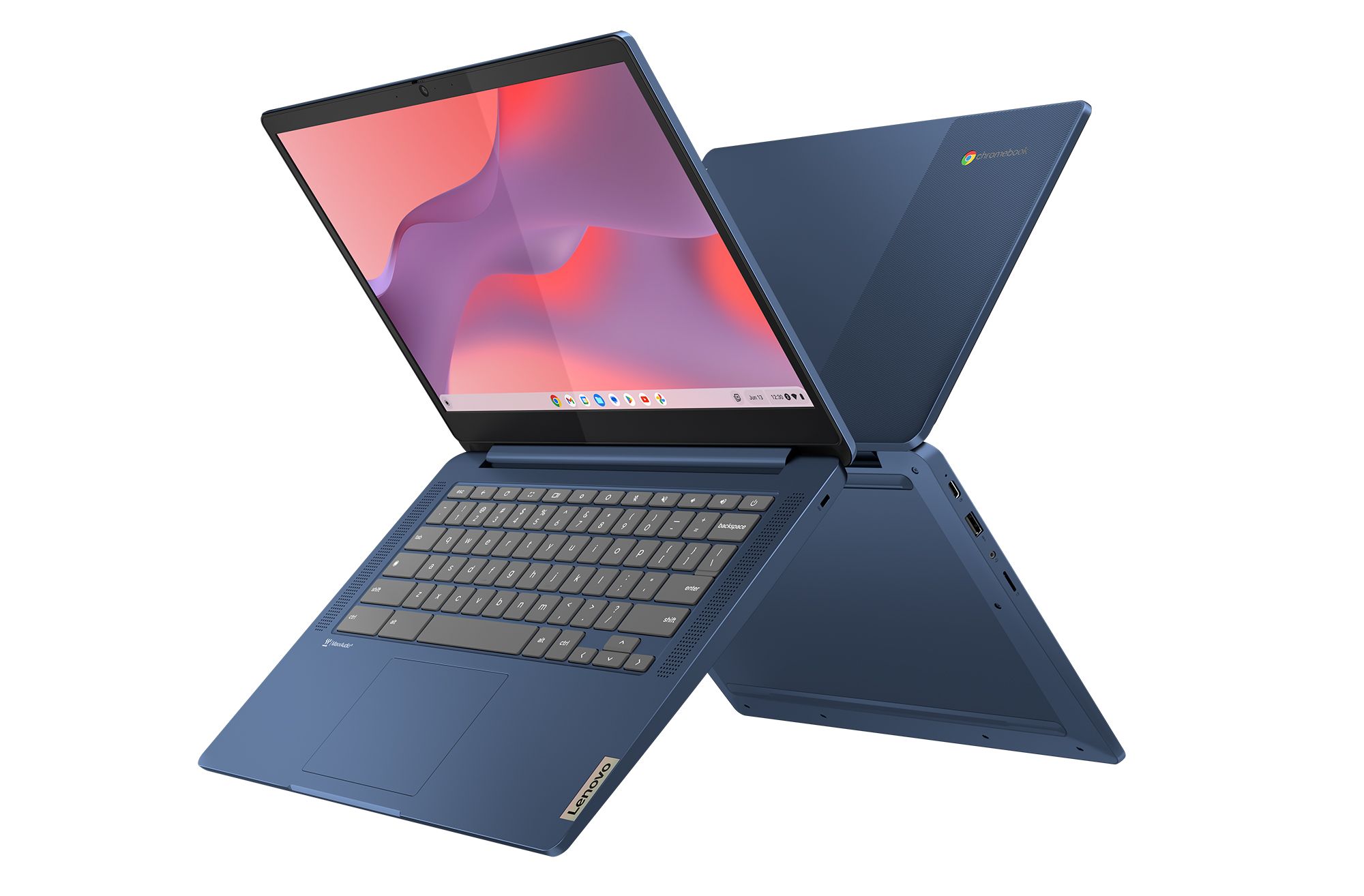
Lenovo IdeaPad Slim 3 Chromebook family photo (2023 review image; same model family as our 2026 pick).
Quick Verdict
For most people, a Chromebook Plus is the better buy for school because it costs less, starts faster, and covers 10 years of updates — but only if your courses run in a browser. If your major needs Windows-only software, a Windows laptop is the better buy, because a Chromebook cannot run those programs at all.
Contents
- Chromebook vs Windows Laptop at a Glance
- What Is a Chromebook, Really?
- What a Windows Laptop Gives You
- Price: What Students Actually Pay
- Software: The Deciding Factor
- Battery Life and Offline Use
- Updates and Longevity
- Which Students Should Buy Which?
- Common Mistakes to Avoid
- Frequently Asked Questions
- Sources & References
Chromebook vs Windows Laptop at a Glance
The table below is a spec-based comparison built from the official specs published by Google and Microsoft.
| Category | Chromebook | Windows Laptop |
|---|---|---|
| Price | $180–$800; Chromebook Plus from $369 | Entry-level from around $300; budget sweet spot $300–$500 |
| Operating system | ChromeOS — browser-first, web apps, Android apps on most 2019+ models | Windows 11 — full desktop programs |
| Software limits | No desktop Office; no native Steam; Parallels ended April 2026 | Runs almost any Windows program |
| Battery | 10-hour minimum (Google); $265 Lenovo listing claims up to 13 hours | Varies by model — check the manufacturer-rated figure |
| Offline use | Docs, Sheets and Slides work offline once set up; Gmail offline needs setup while online | Full offline use by default |
| Gaming | Cloud gaming only — Steam beta ended early 2026 | The only real choice for PC gaming |
| Management | ChromeOS Education Upgrade: 500+ policies | Entra ID, Intune, Autopilot |
| Updates | 10 years from the platform's release date | Windows 11 ongoing; Windows 10 support ended Oct 14, 2025 |
What Is a Chromebook, Really?

Lenovo IdeaPad 3 Slim Chromebook (2023 review image, same model family).
There are two tiers, and the difference matters more than the brand name. A standard Chromebook can be very cheap — the typical band is $180–$800 — but the cheapest models cut the specs that matter. Chromebook Plus is Google's certified tier, announced on October 2, 2023, with guaranteed minimums — an Intel Core i3 12th Gen or AMD Ryzen 3 7000 series processor, 8GB or more of RAM, 128GB or more of storage, a Full HD IPS display and a 1080p webcam — per Google's official announcement. Chromebook Plus launched at $399; the current price floor is from $369 for the ASUS Chromebook Plus CX34, per Google's Chromebook Plus page.
Google also launched Googlebook laptops in October 2026 from $899, merging Android and ChromeOS — Chromebooks are not being discontinued overnight, and ChromeOS devices keep updates and security patches through mid-2034.
What a Windows Laptop Gives You
HP 15 Laptop 15-fc0502nr — our budget Windows pick for students. Check the current price on Amazon.
A Windows laptop runs Windows 11, the operating system almost every course, employer and piece of desktop software is built for: full Microsoft Office, Adobe Creative Cloud, AutoCAD, MATLAB, Visual Studio and Steam all install natively.
Windows 11 has real minimum requirements, per Microsoft Learn: 4GB of RAM, 64GB of storage, a 1GHz or faster 2-core 64-bit processor, UEFI with Secure Boot, TPM 2.0 and DirectX 12 graphics. Treat those minimums as a floor, not a target — 8GB of RAM and a 256GB SSD are the realistic starting point for a laptop that stays usable for four years. Windows 10 support ended on October 14, 2025, so every new student laptop should ship with Windows 11.
Price: What Students Actually Pay
Price is where Chromebooks win — but only if you buy the right tier. Chromebooks typically cost $180–$800, Chromebook Plus models $400–$2,000 and more, while entry-level Windows laptops start around $300 and the budget sweet spot is $300–$500.
The $265 Chromebook — and the trap inside it
Our budget Chromebook pick is the Lenovo IdeaPad Slim 3 Chromebook 14 (2026), listed at $265.00 on Amazon, checked on November 26, 2026 — check the current price before you buy, because prices change. It packs a MediaTek Kompanio 520 8-core processor, a 14-inch Full HD IPS touchscreen (1920×1080, 300 nits), Wi-Fi 6, a 720p webcam with a privacy shutter and 45W USB-C charging in a 2.87-pound body. Lenovo's listing claims up to 13 hours of battery life — the manufacturer's claim, not a measured figure.
Here is the honest caveat: this $265 model has 4GB of RAM and 64GB of eMMC storage — below the Chromebook Plus minimums of 8GB of RAM and 128GB of storage. For a younger child's homework it is fine, but for a real student workload — a dozen tabs, a paper and a video call at once — 4GB of RAM will feel slow by the second year. If you can spend around $369, buy a Chromebook Plus instead; that is the most useful distinction in this whole article. Our guide to the best laptop under $400 for students in 2026 covers the same price band.
The Windows pick: HP 15 (Ryzen 7)
Our budget Windows pick is the HP 15 Laptop 15-fc0502nr — an 8-core AMD Ryzen 7 5825U processor, 8GB of RAM, a 512GB SSD, a 15.6-inch Full HD display and Windows 11 Home. We are not stating a price here because no current Amazon price was verified on November 26, 2026, so check the current price on Amazon before deciding. Our November 4, 2026 review positioned it under $500, but that was a different day's price. The 8GB of RAM is the one specification that will limit this laptop first — and our guide on how to check laptop battery health on Windows 11 shows how to watch it over four years. For the same price band model by model, see our Dell Inspiron 15 vs HP 15 and Lenovo IdeaPad Slim 3 vs Acer Aspire 3 comparisons.
Software: The Deciding Factor
Before you buy anything, check your course's required-software list — that one document decides this whole comparison. The University of Washington's engineering program states plainly that "Chromebooks do not have the ability to run the software needed" for engineering, and the same is true for many design, computer science and data courses. If your major needs a Windows-only program, no Chromebook at any price will run it.
The Microsoft Office question comes up in almost every student search, so here is the plain answer: on a Chromebook, Microsoft 365 works as web apps at microsoft365.com only. The desktop Office programs cannot be installed, and Microsoft's Android Office apps are not supported on Chromebooks either, per Microsoft's own support documentation. For most students the web apps are enough; students who need Excel's full desktop features or offline macros will hit the limit.
Gaming and specialist software are the other hard limits. Google ended the Steam for Chromebook beta at the start of 2026, so Chromebook gaming is cloud gaming only, and Parallels Desktop for ChromeOS was discontinued in April 2026. On Windows, Steam, Adobe apps, coding tools and engineering software all install natively. Android apps from the Play Store cover note-taking and media apps on most 2019 or later Chromebooks — but they are not a substitute for desktop software.
Battery Life and Offline Use
Battery life favours Chromebooks: Google requires a 10-hour minimum, and the $265 Lenovo listing claims up to 13 hours — the manufacturer's claim, not a measured result. Windows laptops have no single standard; the HP 15 is rated around 9 hours. For a student moving between lectures without a charger, that gap is real.
Offline use is the mirror image. Windows works offline by default: installed apps and local files work with no Wi-Fi at all. A Chromebook needs setup while you are still online — Docs, Sheets and Slides turn on offline mode automatically on ChromeOS, but Gmail offline and individual Drive files need advance setup. Students with patchy dorm Wi-Fi should weigh this: a Chromebook is fine offline once prepared, but it punishes you if you forget.
Updates and Longevity
Longevity is the Chromebook's quiet superpower: Google gives 10 years of automatic updates from the platform's release date — not from the day you buy it — per Google Support, and ChromeOS devices keep regular updates and security patches through mid-2034.
The catch is in the counting: 10 years from the platform's release date, not your purchase date. A clearance Chromebook from 2021 has far less update life left than a 2026 model, so before buying — especially a refurbished unit — check Settings, About ChromeOS, Additional details, Update schedule, and confirm how many years remain. Schools like Chromebooks too: the ChromeOS Education Upgrade gives IT staff central management with more than 500 policies and remote disable for lost devices.
Windows longevity depends on specs instead: 8GB of RAM and a 512GB SSD should last a full degree, while 4GB may not last two years. For the full detail on the HP 15, read our HP 15 Ryzen 7 review.
Which Students Should Buy Which?
Buy a Chromebook Plus if: you are in K-12 or a Google Classroom school; your major is humanities, social sciences or education; your courses run in a browser; and your budget is $369–$500.
Buy a Windows laptop if: your major is engineering, computer science, design, architecture, data or business analytics; your course list names Windows-only software; you need full desktop Microsoft Office; or you want to play PC games.
Real scenarios: a high-school student writing essays in Google Docs is the ideal Chromebook Plus buyer; a computer science student compiling code and an art student in Adobe Creative Cloud both need Windows.
Who Should NOT Buy
Do not buy a Chromebook if your course requires Windows-only software, if you need full desktop Microsoft Office with macros, if you play PC games beyond cloud streaming, or if you edit video in desktop software. Do not buy a 4GB Chromebook — or a 4GB Windows laptop — for a full student workload, and do not buy a Windows laptop if your school is fully on Google Classroom and your budget is tight.
Common Mistakes to Avoid
1. Buying the cheapest Chromebook and expecting a full student laptop
The $265 Lenovo is a good machine, but 4GB of RAM and 64GB of storage sit below the Chromebook Plus minimums. The correct approach: for a main student laptop, spend from $369 on a Chromebook Plus.
2. Never checking the course software list
Students buy first and discover the required software second. The correct approach: get the required-software list from your department before buying — if it names a Windows-only program, buy Windows.
3. Buying a clearance Chromebook without checking its update expiry
Chromebook updates run 10 years from the platform's release date, not your purchase date. The correct approach: check the update schedule in Settings before paying, especially for refurbished models.
Frequently Asked Questions
Is a Chromebook better than a Windows laptop for school?
Yes, for most browser-based schoolwork — essays, research, Google Classroom and video calls — a Chromebook Plus is better: it costs less, starts faster and gets 10 years of updates. But if your courses need Windows-only software, a Windows laptop is better — a Chromebook cannot run those programs at all.
Can a Chromebook run Microsoft Word and Excel?
Yes, but only as web apps at microsoft365.com — the desktop versions cannot be installed, and Microsoft's Android Office apps are not supported on Chromebooks.
Can you use a Chromebook without Wi-Fi?
Yes, with preparation. Google Docs, Sheets and Slides work offline once offline mode is turned on — automatic on ChromeOS — but Gmail offline and individual files need setup while online.
What is the difference between a Chromebook and a Chromebook Plus?
Chromebook Plus is Google's certified tier: an Intel Core i3 12th Gen or AMD Ryzen 3 7000 series processor, 8GB or more of RAM, 128GB or more of storage, a Full HD IPS display and a 1080p webcam.
How long will a Chromebook get updates?
Google provides 10 years of automatic updates from the platform's release date — not from the date you buy it — and ChromeOS devices keep updates and security patches through mid-2034.
Sources & References
- Google — Chromebook Plus announcement (October 2, 2023): Chromebook Plus minimums and $399 launch price.
- Microsoft Learn — Windows 11 requirements: minimum RAM, storage, TPM 2.0 and processor.
- Google Support — Chromebook update schedule: 10 years of automatic updates from the platform release date.
- Lenovo IdeaPad Slim 3 Chromebook 14 (2026) via SpecPicks, checked November 26, 2026: $265.00 price, specs, 13-hour battery claim.
- Google Chromebook Plus page, via technologyelevation.com, checked November 19, 2026: price floor from $369 (ASUS Chromebook Plus CX34).
- University of Washington Engineering, via human-i-t.org: Chromebooks cannot run the software needed for engineering courses.
- HP 15 Laptop 15-fc0502nr specs: HP official product page and Amazon listing (ASIN B0F1X5PTR5); price not verified November 26, 2026.


0 Comments