As an Amazon Associate I earn from qualifying purchases.
By Tech Gear Hub • Last updated: October 28, 2026
Tech Gear Hub compared the Lenovo IdeaPad Slim 3 with the Acer Aspire 3 to find the best budget laptop under $500 for students and everyday work in 2026. Both are 15-inch Windows 11 laptops with AMD Ryzen 5 processors, 16GB of RAM, and 512GB SSDs in their best-value US configurations — but they are not the same laptop in different clothes. The IdeaPad Slim 3 gives you a sharper 1920 x 1200 display and a tougher MIL-STD-810H-tested build, while the Aspire 3 gives you longer battery life and usually a lower price.
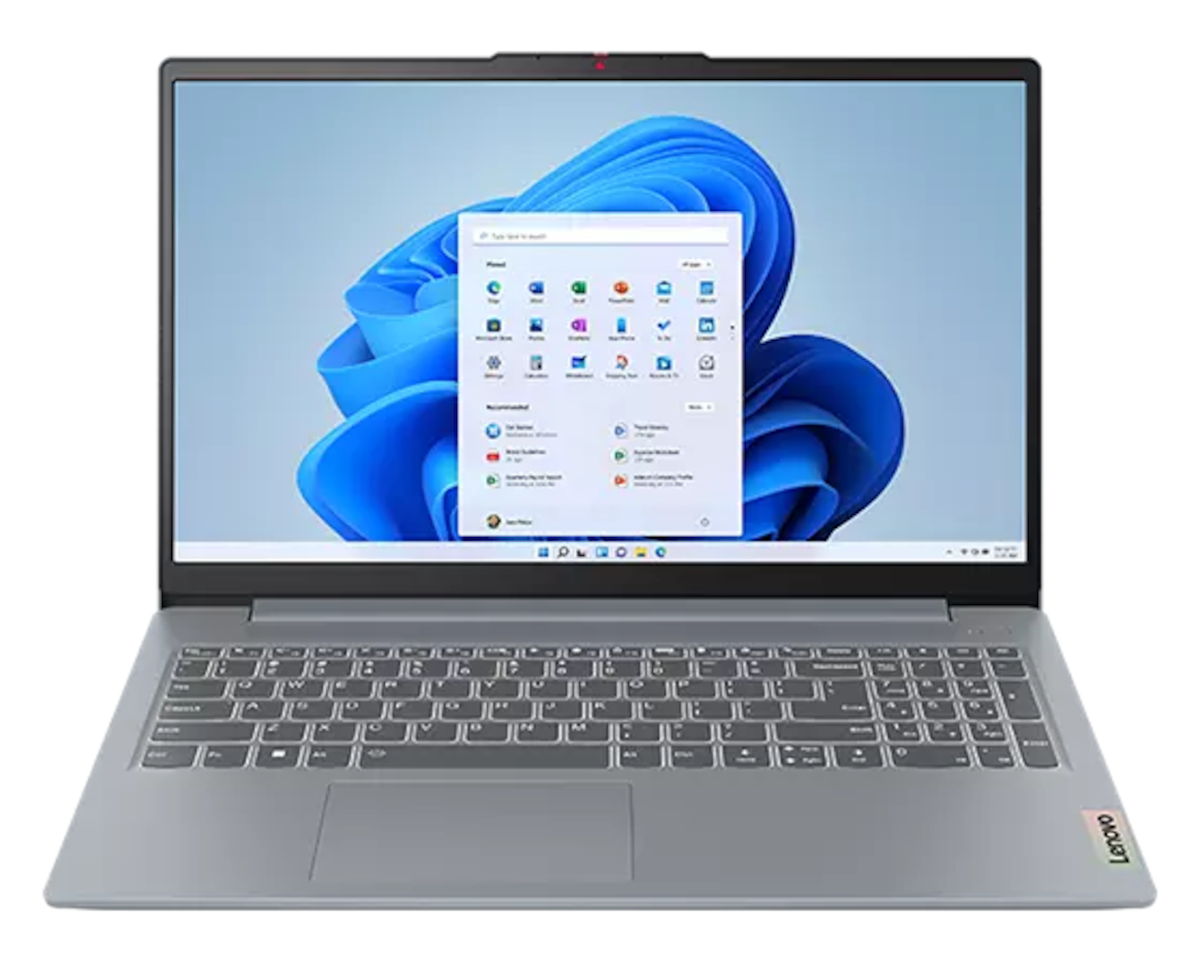
The IdeaPad Slim 3 configuration we recommend pairs an AMD Ryzen 5 8540U processor with 16GB of DDR5 RAM, a 1TB SSD, a 15.3-inch WUXGA touchscreen, and a backlit keyboard, per its Amazon US listing. The Aspire 3 configuration we recommend pairs an AMD Ryzen 5 7520U processor with 16GB of LPDDR5 RAM, a 512GB SSD, and a 15.6-inch Full HD IPS touchscreen rated for up to 13 hours of battery, per its Amazon US listing. One warning before you buy either: both model names hide many configurations, so always check the exact part number, RAM, and storage before ordering.
Quick Verdict
For most students, the Lenovo IdeaPad Slim 3 is the better buy because its taller 1920 x 1200 display, MIL-STD-810H-tested build, and stronger Ryzen 5 8540U configuration handle four years of coursework more comfortably. Buy the Acer Aspire 3 if battery life and price matter most — its up-to-13-hour rating and frequent sub-$400 pricing make it the best budget pick for lecture halls and libraries.
Table of Contents
IdeaPad Slim 3 vs Aspire 3: Comparison Table
| Feature | Lenovo IdeaPad Slim 3 | Acer Aspire 3 (A315-24PT) |
|---|
| US price range | ~$399–$499 depending on configuration | ~$349–$449 depending on configuration |
| Display | 15.3" WUXGA (1920 x 1200) touchscreen, 300 nits | 15.6" Full HD IPS (1920 x 1080) touchscreen |
| Processor | AMD Ryzen 5 8540U (6 cores, up to 4.9GHz) | AMD Ryzen 5 7520U (4 cores, up to 4.3GHz) |
| RAM / Storage | 16GB DDR5 / 1TB SSD (recommended config) | 16GB LPDDR5 / 512GB SSD |
| Graphics | AMD Radeon 740M integrated | AMD Radeon integrated |
| Battery claim | Full-day use (varies by config) | Up to 13 hours |
| Weight | 3.59 lbs (1.63 kg) | ~3.9 lbs (1.78 kg) |
| Keyboard | Backlit, with fingerprint option on some configs | Backlit |
| OS | Windows 11 (Pro on recommended config) | Windows 11 Home |
| Our Performance score | 8.5/10 | 8.0/10 |
| Our Display score | 8.5/10 | 8.0/10 |
| Our Value score | 8.5/10 | 9.0/10 |
Scores are Tech Gear Hub's own ratings based on the specs and trade-offs above.
Price and Value
Both laptops live in the $350–$500 band, and street prices move with sales — which is why "check current price" is not boilerplate here, it is the whole buying strategy. The Aspire 3 is usually the cheaper of the two, with its Ryzen 5 touchscreen configuration frequently appearing under $400, while the recommended IdeaPad Slim 3 configuration (Ryzen 5 8540U, 16GB, 1TB) typically sits $50–$100 higher. Check current price on Amazon for the Lenovo IdeaPad Slim 3 and check current price on Amazon for the Acer Aspire 3 before you buy — and verify the exact configuration on the listing page, because both names are sold with weaker 8GB and smaller-SSD variants that look identical in search results.
Value is not just the sticker price. The IdeaPad's 1TB SSD in the recommended configuration is double the Aspire's 512GB, which matters over four years of coursework, photos, and projects. The Aspire answers with a lower entry price and a battery that keeps you away from outlets longer. If your budget is hard-capped under $400, the Aspire wins; if you can stretch to the IdeaPad's configuration, its extra storage and sharper screen repay the difference.
Display
The IdeaPad Slim 3's screen is the quiet winner of this comparison. Its 15.3-inch WUXGA panel runs at 1920 x 1200 — 120 extra vertical pixels versus the Aspire's 1920 x 1080 — which means more document, spreadsheet, and web page visible without scrolling, per Lenovo's official specs. At 300 nits with low-blue-light certification, it is also bright enough for a sunny classroom seat. The Aspire 3's 15.6-inch Full HD IPS touchscreen is slightly larger diagonally and looks perfectly good for lectures and streaming, but its 16:9 aspect ratio shows less of a document at once. Both are touchscreens in the recommended configurations, which is a genuine bonus at this price for note-taking and navigation. For students who live in documents, the IdeaPad's taller screen is worth real money; for everyone else, the Aspire's display is fine.
On paper, the IdeaPad pulls ahead. Its Ryzen 5 8540U has 6 cores and boosts to 4.9GHz with Radeon 740M graphics, while the Aspire's Ryzen 5 7520U has 4 cores boosting to 4.3GHz. In practice, both handle the student workload — Google Docs, Canvas, Zoom, forty browser tabs, Spotify, and 1080p video — without complaint, because both have the two specs that actually matter at this price: 16GB of RAM and a fast NVMe SSD. The IdeaPad's extra cores show up when you multitask hard: compiling code, editing a short video, or running a virtual machine while streaming a lecture. The Aspire's 4-core chip is still a capable everyday processor, just with less headroom. Neither laptop is a gaming machine — integrated graphics handle light games and older titles, not modern AAA games — and neither should be bought with 8GB of RAM in 2026 if you plan to keep it for years. Buy the 16GB configuration of whichever you choose.
Battery Life
The Aspire 3 wins the battery round. Acer rates its Aspire 3 touchscreen configuration for up to 13 hours, and while real-world use with brightness up and video calls running will land lower — expect 8–10 hours of honest student use — that is still a full school day without hunting for an outlet. The IdeaPad Slim 3's battery life varies more by configuration, with most owners reporting a solid but shorter 7–9 hours of mixed use. If your day runs from an 8 AM lecture to a late library session, the Aspire's endurance is the safer pick. Either way, a pocket power bank in your bag removes the anxiety entirely — see our Anker Nano 10K vs Baseus Blade 20K comparison for a charger that tops up a laptop over USB-C in a pinch.
Keyboard, Ports, and Build
Both laptops have backlit keyboards, which matter more than they sound like they should for late-night essays. The IdeaPad Slim 3 adds a MIL-STD-810H-tested build — Lenovo's military-grade durability testing for drops, vibration, and temperature — and at 3.59 lbs it is lighter than the Aspire despite the tougher chassis. Its port set covers the essentials: USB-C with DisplayPort, two USB-A ports, HDMI, an SD card reader, and Wi-Fi 6. The Aspire 3 matches it on everyday connectivity with USB-C, USB-A, HDMI, and Wi-Fi 6, plus Acer's PurifiedVoice AI noise reduction for clearer video calls — a small but real advantage for online classes. Build quality on both is plastic, not metal, so neither feels premium — but the IdeaPad's tested durability gives it the edge for backpack life. If you compare either against a premium machine, our MacBook Pro M6 launch coverage shows what double the money buys — and why these two are the right call under $500.
Who Should Buy — and Who Should NOT
Buy the Lenovo IdeaPad Slim 3 if: you want the sharper 1920 x 1200 display for documents; you need the tougher MIL-STD-810H build for backpack life; you multitask hard or code; or you want 1TB of storage from day one.
Buy the Acer Aspire 3 if: battery life is your top priority; your budget is hard-capped under $400; your work is mostly browser-based; or you want the best price-to-performance ratio in this comparison.
Who should NOT buy: skip both if you need a dedicated graphics card for gaming or 3D work, a Mac for macOS-only software, or a Chromebook-simple machine — these are Windows productivity laptops, not gaming rigs. Skip the IdeaPad if you will not use its extra storage and screen height, since the Aspire saves you money. Skip the Aspire if you run heavy multitasking daily, since its 4-core chip has less headroom. And never buy either in an 8GB or 128GB configuration in 2026 — that is the one mistake that makes a good budget laptop feel slow within a year.
Frequently Asked Questions
Which is better for students, the IdeaPad Slim 3 or the Aspire 3?
For most students, the IdeaPad Slim 3 is better because of its taller 1920 x 1200 display, tougher build, and stronger processor. The Aspire 3 is better if battery life and the lowest price matter most.
Is 16GB of RAM enough for a student laptop in 2026?
Yes. 16GB is the sweet spot for coursework, multitasking, and four years of use. Avoid 8GB configurations if you plan to keep the laptop for more than two years.
Can these laptops run Microsoft Office?
Yes. Both run Microsoft 365 (Word, Excel, PowerPoint) smoothly with 16GB of RAM, and students often get Microsoft 365 free or discounted with a school email.
Is the IdeaPad Slim 3 good for programming?
Yes, for learning to code and typical coursework. Its 6-core Ryzen 5, 16GB of RAM, and 1TB SSD handle IDEs, browsers, and light virtual machines well.
Does the Aspire 3 have a touchscreen?
The recommended Aspire 3 configuration (A315-24PT) has a 15.6-inch Full HD IPS touchscreen, but not every Aspire 3 variant does — check the exact listing before buying.
Which laptop has better battery life?
The Acer Aspire 3, rated for up to 13 hours, outlasts the IdeaPad Slim 3 in typical student use by roughly 1–2 hours.
Final Verdict
The Lenovo IdeaPad Slim 3 vs Acer Aspire 3 decision comes down to screen and stamina. The IdeaPad's 1920 x 1200 display and tougher build make it the better four-year laptop; the Aspire's longer battery and lower price make it the better tight-budget laptop. For most students, the IdeaPad Slim 3 is the better buy — but if the Aspire 3 is $75 cheaper on the day you buy, take the Aspire and spend the difference on a good backpack and a power bank.
Get the Lenovo IdeaPad Slim 3 on Amazon | Get the Acer Aspire 3 on Amazon
Prices change frequently — click through to confirm the current deal and the exact configuration. For the charger to pair with either laptop, see our pocket power bank comparison.



Comments
Post a Comment