By Tech Gear Hub • Last updated: October 29, 2026
As an Amazon Associate I earn from qualifying purchases. Prices change often — check the current price on Amazon before you buy.
Quick Verdict
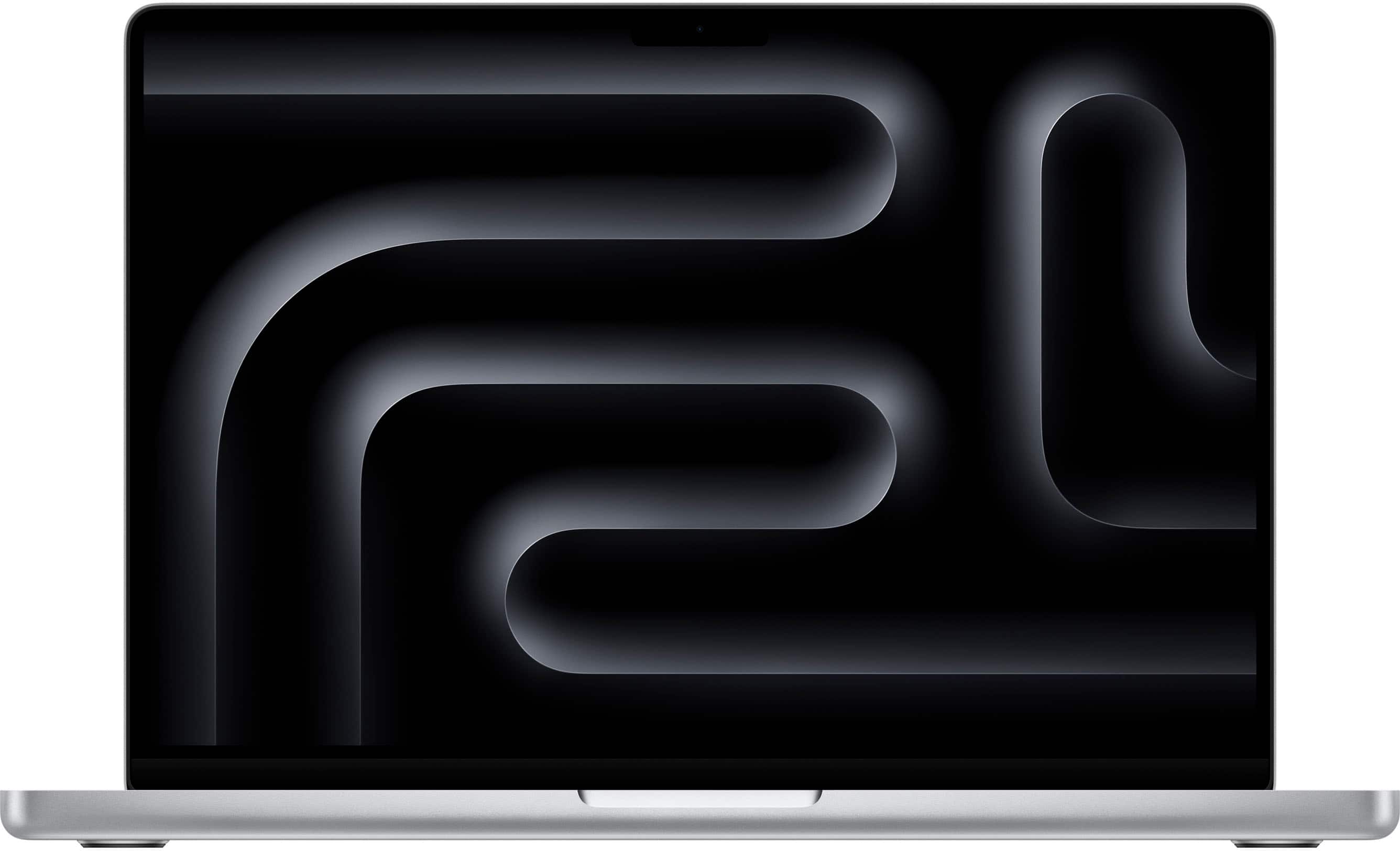
Apple's first touchscreen MacBook Pro is a real, shipping product — not a rumor — starting at $2,899 for the 14-inch M5 Pro model, with pre-orders open since October 28 and store availability from November 6, and it is worth it only for professionals who will actually touch, draw on, and manipulate their screen every day. Tech Gear Hub breaks down the price, specs, and release date of the MacBook Pro with PROLED XDR display, announced by Apple on October 28, 2026.
Contents
After years of saying the Mac would never get a touchscreen, Apple has finally done it. The MacBook Pro with PROLED XDR display, unveiled at an event in Los Angeles on October 28, 2026, is the first Mac with a touchscreen — a tandem OLED panel with touch input built directly in, per Apple's news release as covered by TechCrunch, USA Today, and Digital Trends. Here is everything confirmed so far, plus our own take on who should actually spend nearly $3,000 on it.
What Apple Actually Announced
The new MacBook Pro comes in 14-inch and 16-inch sizes, both with the same PROLED XDR touchscreen, and both powered by either the M5 Pro or M5 Max chip. Apple redesigned the hinge so the screen stays stable when you touch it — and so the camera stays steady on video calls while you tap the display. The notch is gone, replaced by a Dynamic Island like the iPhone's, which houses Spotlight, Live Activities, and Siri AI. And yes, the glowing Apple logo on the lid is back for the first time since 2015.
Quotable fact: Apple's first touchscreen MacBook Pro pairs a tandem OLED PROLED XDR display with M5 Pro or M5 Max chips, up to 128GB of unified memory, and up to 16TB of storage.
Price and Release Date
| Model | Starting price |
|---|
| 14-inch, M5 Pro | $2,899 |
| 16-inch, M5 Pro | $3,399 |
| 14-inch, M5 Max | $4,499 |
| 16-inch, M5 Max | $4,799 |
Pre-orders opened on October 28, 2026, and the laptop reaches customers and Apple Stores on Friday, November 6, 2026, per Apple's news release. The 14-inch model weighs just 3.0 pounds and the 16-inch model 4.0 pounds — both lighter than their non-touch predecessors — and battery life runs up to 24 hours per Apple.
Quotable fact: The touchscreen MacBook Pro starts at $2,899, reaches stores November 6, 2026, and runs up to 24 hours on a charge according to Apple.
The PROLED XDR Touchscreen
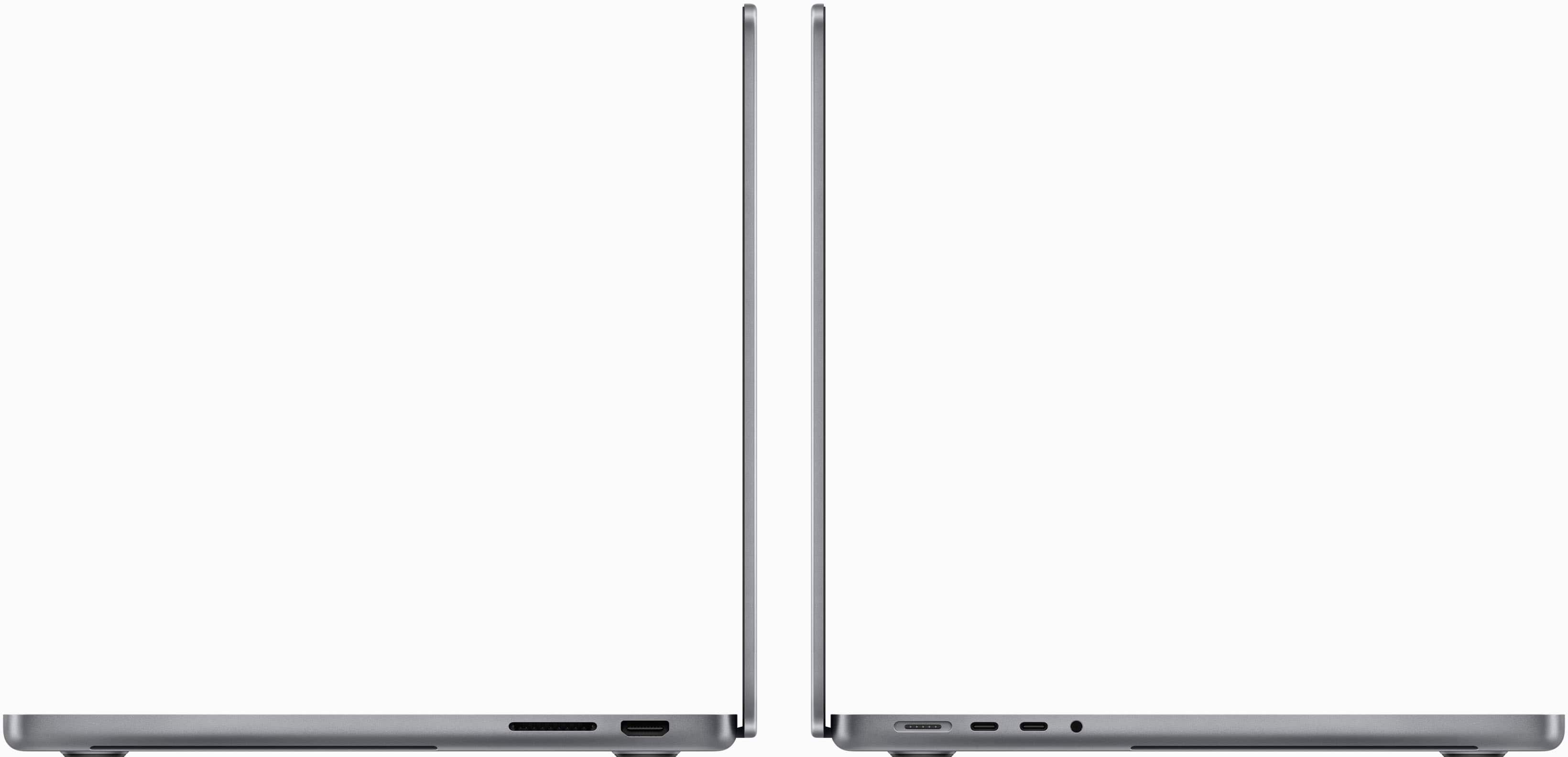
The display is the whole story. The tandem OLED panel hits 2,000 nits of peak HDR and SDR brightness with a 10,000,000:1 contrast ratio, ProMotion adaptive refresh up to 120Hz, and wide P3 plus Adobe RGB color coverage. Apple says the touch sensor is embedded directly in the panel, so there is no lag between finger and screen — a detail that matters for illustrators manipulating 3D models, musicians playing instruments on screen, and video editors scrubbing timelines with a finger. Three Thunderbolt 5 ports, HDMI, an SDXC card slot, MagSafe, and a headphone jack round out the connectivity, plus a six-speaker array with a new woofer design.
M5 Pro and M5 Max Power
Both chips carry a 16-core Neural Engine with on-device neural accelerators, Wi-Fi 7, and support for up to three external displays on M5 Pro and four on M5 Max. The M5 Max doubles the video encode and ProRes engines for multicam and high-end video work. For most buyers, the M5 Pro is already far more power than a touchscreen needs — the M5 Max exists for people who render, compile, or run large local AI models for a living.
Do Not Confuse It With the M6 MacBook Pro
This is the trap to avoid at checkout: Apple separately announced a 14-inch M6 MacBook Pro starting at $1,999 with a Liquid Retina XDR display — a different machine from the touchscreen PROLED XDR models. The $900 starting-price gap is not a touchscreen upgrade fee; these are differently equipped computers. Before you check out, look for the exact display name "PROLED XDR" and the touchscreen feature, not just "new MacBook Pro." Our full breakdown of the other machine is in our MacBook Pro M6 price, specs, and release date guide, and Apple's other new desktop is covered in our iMac M6 launch guide.
Who Should Buy It — and Who Should Not
Buy it if you are a creative professional who will touch the screen daily — illustrators, 3D artists, music producers, and video editors who want the best laptop display Apple has ever made and are already committed to macOS.
Who should NOT buy it: skip it if you are on any kind of budget — at $2,899 and up, this is a luxury purchase, and the $1,999 M6 MacBook Pro or a Windows laptop like the ones in our budget laptop comparison will do everyday work just as well. Also skip it if you never touch your laptop screen today — a touchscreen you never use is $900-plus of display you paid for and ignored.
Our launch-assessment score: 8.5/10 — a landmark display and genuine pro power, held back by a steep price and a first-generation touch implementation we have not yet tested hands-on.
Accessories Worth Adding
For travel days with a power-hungry pro laptop, a high-capacity portable charger is the one accessory worth packing: the UGREEN Nexode 20K power bank covers emergency top-ups on the road, while the pocketable Anker Nano 10K power bank is the lightest backup for your phone and accessories. Check current prices before you buy — neither replaces the MacBook Pro's own USB-C charger for a full recharge.
Frequently Asked Questions
How much does the touchscreen MacBook Pro cost?
The touchscreen MacBook Pro starts at $2,899 for the 14-inch M5 Pro model, $3,399 for the 16-inch M5 Pro, $4,499 for the 14-inch M5 Max, and $4,799 for the 16-inch M5 Max.
When is the touchscreen MacBook Pro release date?
The touchscreen MacBook Pro release date is November 6, 2026, when it reaches customers and Apple Stores, after pre-orders opened on October 28, 2026.
Is the touchscreen MacBook Pro the same as the M6 MacBook Pro?
No, the touchscreen MacBook Pro with PROLED XDR display is a different machine from the separately announced 14-inch M6 MacBook Pro, which starts at $1,999 with a Liquid Retina XDR display and no touchscreen.
What is the PROLED XDR display?
PROLED XDR is Apple's tandem OLED laptop display with touch input built in, rated at 2,000 nits peak brightness, a 10,000,000:1 contrast ratio, and ProMotion refresh up to 120Hz.
How long does the touchscreen MacBook Pro battery last?
Apple rates the touchscreen MacBook Pro battery at up to 24 hours, though real-world life will depend on screen brightness, touch use, and workload.
Should I buy the touchscreen MacBook Pro or wait?
Buy it only if you are a professional who will use the touchscreen daily; otherwise the cheaper M6 MacBook Pro or a budget Windows laptop is the smarter buy, and waiting for hands-on reviews of the first-generation touch implementation is wise.


Comments
Post a Comment