
By Tech Gear Hub • Last updated: November 12, 2026
As an Amazon Associate I earn from qualifying purchases. Prices shown are launch prices announced by Apple; check current price on Amazon before you buy, because retailer prices change often.
Tech Gear Hub compared the MacBook Air M4 with the MacBook Air M3 to answer one question: is the upgrade worth it in 2026? The short answer is that the M4 is the better laptop to buy new — it starts at $999 with 16GB of memory as standard, a 10-core CPU, a 12MP Center Stage camera, and support for two external displays with the lid open — but the M3 is still a very good laptop, and at the right discount it can be the smarter buy. The real decision is not M4 versus M3 in the abstract. It is whether you already own an M3, whether you are buying new or discounted, and how much the extra memory and the extra displays matter to your work.
Quick Verdict: For most people, the MacBook Air M4 is the better buy because it costs less than the M3 did at launch, starts at $999 with 16GB of memory, and adds a faster chip, a better camera, and two external displays with the lid open. Buy the M3 only if you find a large discount — at least $150 less than a comparable M4 — and buy the 16GB version. If you already own an M3, do not upgrade: keep it and wait for a bigger generational jump.
Contents
- MacBook Air M4 vs M3 at a glance
- What changed, and what stayed the same
- Performance: how much faster is the M4?
- Memory: the upgrade you will actually feel
- Camera, displays, and everyday use
- Battery, design, and ports
- Price in November 2026: new, renewed, and discounted
- Common mistakes to avoid
- Who should buy, and who should NOT buy
- Frequently asked questions
- Sources & references
MacBook Air M4 vs M3 at a glance
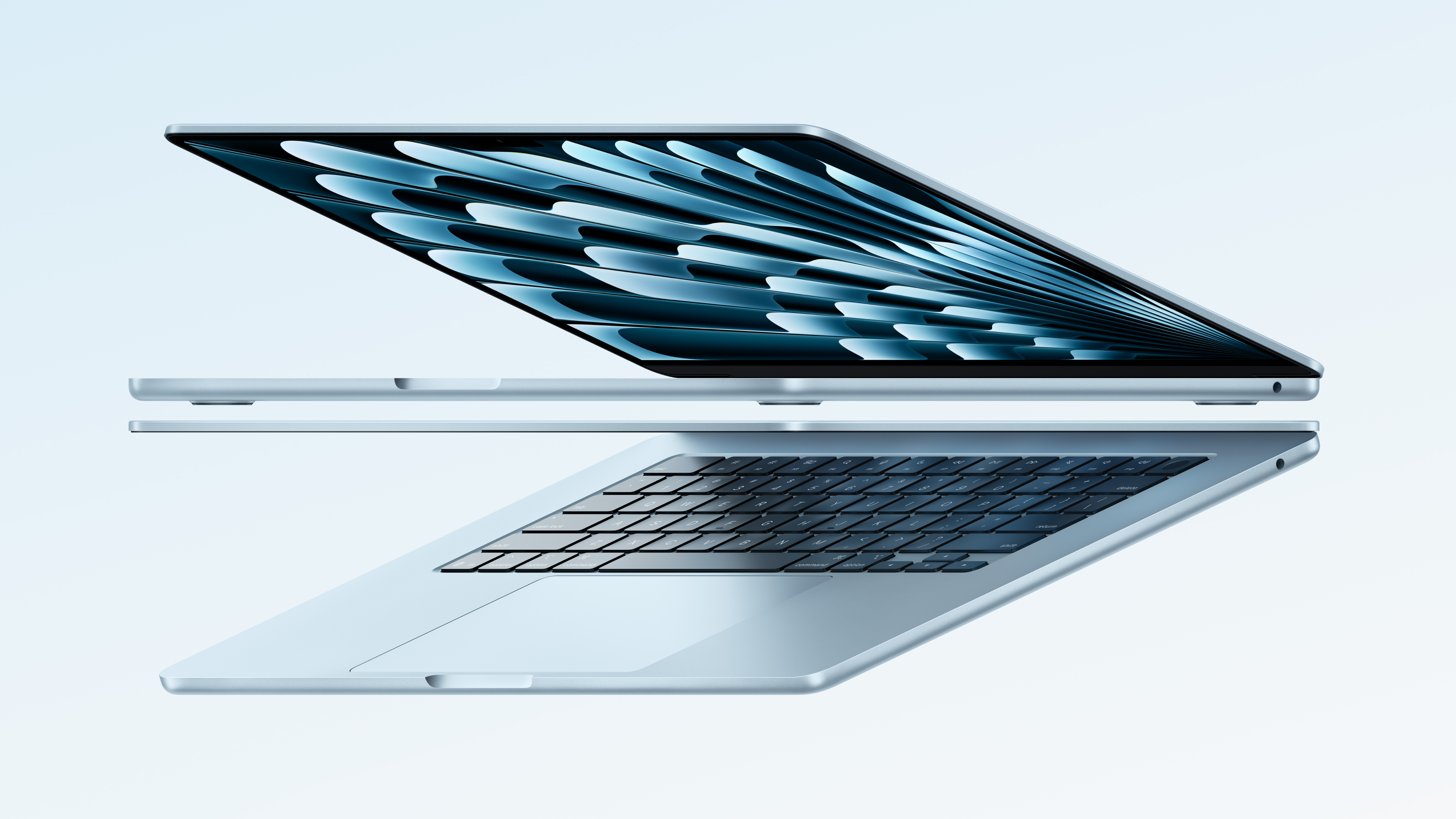
The MacBook Air M4 arrived in March 2025, one year after the MacBook Air M3 arrived in March 2024. Both are 13.6-inch and 15.3-inch laptops in the same thin aluminum design, both are fanless, and both are rated for up to 18 hours of battery life. The differences are concentrated in four places: the chip, the memory, the camera, and the external display support. Everything else — the screen, the keyboard, the speakers, the weight — is essentially unchanged.
| Spec | MacBook Air M3 (2024) | MacBook Air M4 (2025) |
|---|---|---|
| Chip | Apple M3, 8-core CPU, up to 10-core GPU | Apple M4, 10-core CPU, up to 10-core GPU |
| Base memory | 8GB (16GB configurable) | 16GB |
| Maximum memory | 24GB | 32GB |
| Memory bandwidth | 100 GB/s | 120 GB/s |
| Neural Engine | 16-core, 18 TOPS | 16-core, 38 TOPS |
| Display | 13.6-inch Liquid Retina, 500 nits | 13.6-inch Liquid Retina, 500 nits |
| Camera | 1080p FaceTime HD | 12MP Center Stage |
| External displays | 1 with lid open; 2 with lid closed | 2 with lid open or closed |
| Ports | Thunderbolt / USB 4, MagSafe, headphone jack | Thunderbolt 4, MagSafe, headphone jack |
| Battery life (manufacturer-rated) | Up to 18 hours | Up to 18 hours |
| Wi-Fi / Bluetooth | Wi-Fi 6E, Bluetooth 5.3 | Wi-Fi 6E, Bluetooth 5.3 |
| Weight (13-inch) | 2.7 lb / 1.24 kg | 2.7 lb / 1.24 kg |
| Colors | Midnight, starlight, space gray, silver | Sky blue, midnight, starlight, silver |
| Launch price (13-inch, U.S.) | $1,099 | $999 |
Our own editorial spec-based scores, based on the official specs and the differences above — not on physical testing, which we do not do — are: Performance, M4 9.0/10 versus M3 7.5/10; Value, M4 8.5/10 versus M3 8.0/10 at a discount of $150 or more, and 6.5/10 at full price; Future-proofing, M4 9.0/10 versus M3 7.0/10. The M4 wins all three, but the value score is the one that depends most on the price you actually pay, which is why the discount math matters more than the chip math.
Two numbers frame the whole comparison. Per EveryMac, the MacBook Air M4 is around 21% faster in single-core tasks and 24% faster in multicore tasks than the MacBook Air M3. And the M4 launched at $999 — $100 less than the M3's $1,099 launch price — while doubling the base memory from 8GB to 16GB. A faster laptop for less money, with twice the starting memory, is an unusual combination, and it is the reason the M4 is the default recommendation.
What changed, and what stayed the same
Start with what did not change, because it is a long list. Both laptops have the same 13.6-inch Liquid Retina display with 500 nits of brightness and support for 1 billion colors. Both weigh 2.7 pounds in the 13-inch size and measure 0.44 inches thick when closed. Both are fanless, so both are silent. Both have the same backlit Magic Keyboard with Touch ID, the same three-microphone array, the same four-speaker sound system with Spatial Audio, and the same MagSafe charging. Both run the same macOS, and both are rated for up to 18 hours of battery life.
That sameness is good news for M3 owners: your laptop did not become a bad laptop when the M4 arrived. It is also good news for M3 buyers: you are getting the same screen, the same keyboard, the same speakers, and the same battery life as the newer model. The differences are real, but they are concentrated, and they matter more to some people than to others.
What changed: the chip, the memory, the camera, the display support, and the color. The M4 has a 10-core CPU against the M3's 8-core CPU, and up to a 10-core GPU on both. The M4 starts with 16GB of unified memory, where the M3 started with 8GB. The M4 has a 12MP Center Stage camera where the M3 has a 1080p FaceTime HD camera. The M4 supports two external displays with the lid open, where the M3 supports one with the lid open and two only with the lid closed. And the M4 adds a new sky blue finish, replacing space gray.
There is one more change that matters in November 2026. Apple has since announced the MacBook Air with M5, in March 2026, starting at $1,099, and Apple's own store no longer lists the M4 as a new configuration, per reports of Apple's March 2026 announcement. That makes the M4 a clearance and retailer-stock buy rather than a current Apple Store model — which is good for prices, because remaining M4 stock is where the discounts now appear, but it also means the M3 is now two generations back. Keep that in mind when you see an M3 at a price that looks close to an M4: the M4 is the newer machine and the one with more life left in it.
Performance: how much faster is the M4?
Per EveryMac, the MacBook Air M4 is around 21% faster in single-core tasks and 24% faster in multicore tasks than the MacBook Air M3. That is a meaningful gap on paper, and it comes from two extra CPU cores — 10 against 8 — plus the architectural improvements in the M4 chip. The M4 also has faster memory bandwidth, 120 GB/s against the M3's 100 GB/s, which is a 20% improvement that helps with graphics-heavy work and large files.
What does that mean in real use? For everyday work — browsing, email, documents, spreadsheets, video calls, streaming — both laptops feel equally fast, because the bottleneck for those tasks is not the chip. The M4's advantage shows up in heavier work: exporting video, editing large photo libraries, compiling code, and running Apple Intelligence features. The M4's Neural Engine delivers 38 TOPS against the M3's 18 TOPS, which is more than double, and that gap matters for on-device AI features such as Writing Tools, Image Playground, and the rebuilt Siri.
One limit applies to both machines equally: neither has a fan. Under sustained heavy load, both chips slow down to manage heat, and that narrows the performance gap between them in long exports and renders. If your work is mostly short bursts — open an app, edit a photo, export a short clip — the M4 is clearly faster. If your work is long, sustained, heavy rendering, a fan-cooled MacBook Pro is the right machine, not either Air.
For gaming, the M3 already brought hardware-accelerated ray tracing and mesh shading, and the M4 keeps those features with more headroom. Neither Air is a gaming laptop, but the M4 handles casual and moderate games more comfortably, and its faster memory bandwidth helps.
Memory: the upgrade you will actually feel
The memory change is the most important difference between these two laptops, and it is the one most buyers will feel every day. The M4 starts with 16GB of unified memory. The M3 started with 8GB, with 16GB as a configurable option. Apple later raised the M3 base to 16GB in October 2024, so some later M3 units ship with 16GB as standard — but early M3 units, and many of the discounted M3 units on sale now, are the 8GB version, so check the exact listing before you buy.
Why does 8GB versus 16GB matter so much? Because 8GB is the one specification that can make a modern Mac feel slow in ordinary use. With 8GB, the machine leans on swap — using the SSD as extra memory — much sooner, and that shows up as stutters when you have many browser tabs open, a video call running, and a few apps in the background. With 16GB, the same workload runs smoothly, and the machine stays comfortable for years longer. That is why the M4's 16GB standard is worth more than its faster chip for most buyers.
The maximum memory matters too, though for fewer people. The M4 can be configured with up to 32GB of unified memory, against 24GB for the M3. If you edit video, work with large photo libraries, run virtual machines, or keep dozens of apps open at once, the 32GB ceiling gives the M4 more headroom. For most buyers, 16GB is enough, and 24GB is plenty — but the ceiling is one more reason the M4 will age better.
Our advice is simple and strict: do not buy an 8GB MacBook Air in 2026 unless the discount is very large — at least $200 off a comparable 16GB machine — and you are certain your workload is light. The 8GB M3 is the one configuration in this comparison that can genuinely disappoint you, and it is the one most likely to feel old first. If you buy an M3, buy the 16GB version, such as the MacBook Air M3 with 16GB memory and 256GB storage in silver — check current price — and if you buy an 8GB M3, such as the MacBook Air M3 with 8GB memory and 256GB storage in space gray — check current price — do it only because the price is low enough to justify the compromise.
Camera, displays, and everyday use
The camera is the most visible upgrade. The M4 has a 12MP Center Stage camera, while the M3 has a 1080p FaceTime HD camera. Center Stage keeps you in frame as you move, widens the view when someone else joins the call, and supports Desk View, which shows your desk from above. If you spend hours a week on video calls, the M4's camera is a genuine quality-of-life improvement. If you rarely turn your camera on, it will not matter to you at all.
The displays are identical: a 13.6-inch Liquid Retina display with 500 nits of brightness, P3 wide color, and True Tone on both. The 15.3-inch models are the same story — same panel quality, same brightness, same size. There is no reason to choose one generation over the other for the screen.
The external display difference is the most practical one for desk workers. The M4 supports two external displays with the lid open, plus the built-in display — three screens at once. The M3 supports one external display with the lid open, and two only with the lid closed, in clamshell mode. If you work at a desk with two monitors and you want the laptop screen open as a third screen, the M4 is the only Air that does it. If you use one external monitor, or you close the lid anyway, the M3 does the job.
Both laptops have Wi-Fi 6E and Bluetooth 5.3, both have two Thunderbolt ports — Thunderbolt 4 on the M4, Thunderbolt / USB 4 on the M3 — plus MagSafe charging and a 3.5mm headphone jack. The M4's Thunderbolt 4 ports are faster and more capable with docks and hubs, but for most peripherals the difference is invisible.
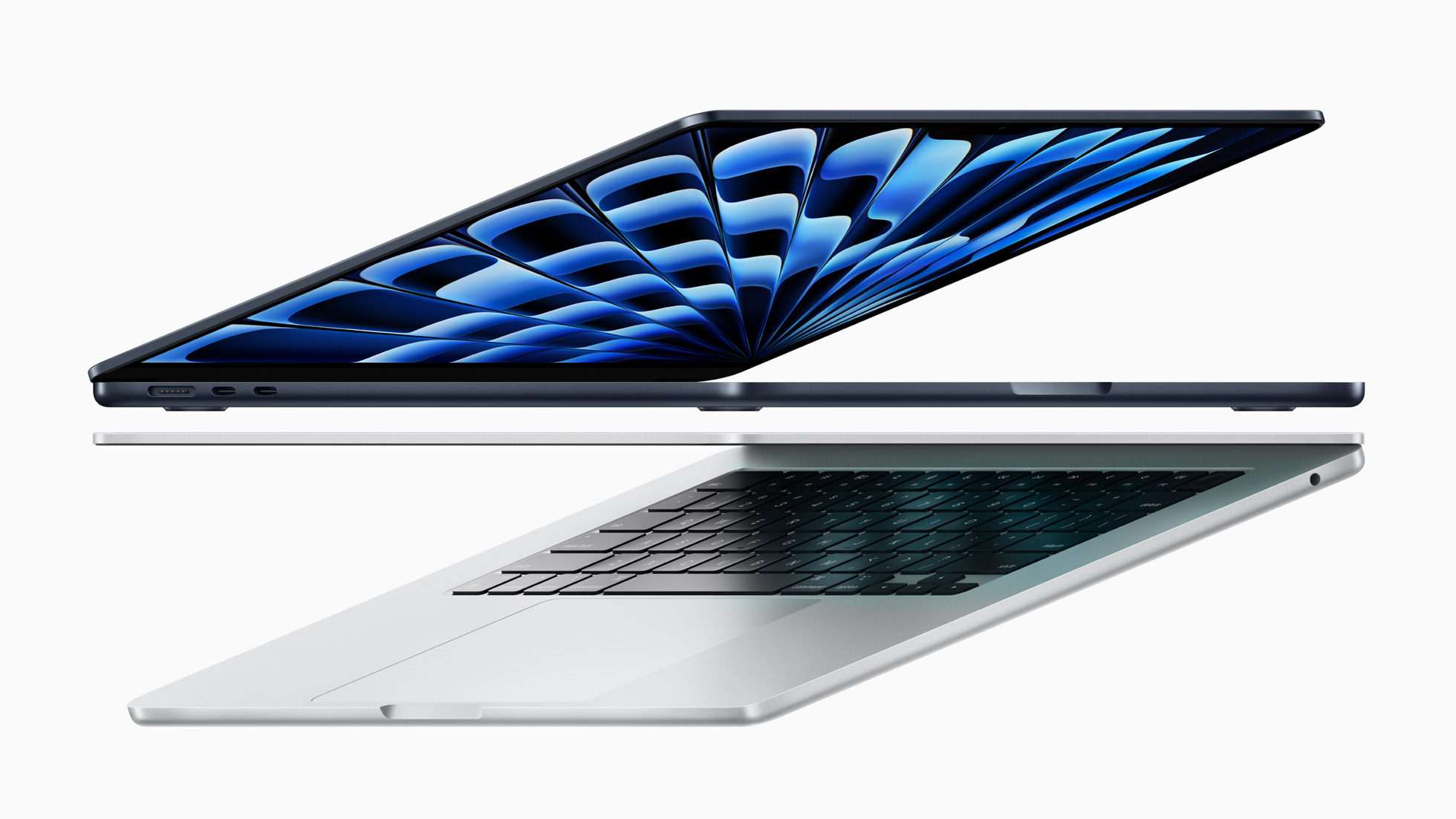
Colors are a small but real difference. The M4 comes in sky blue, midnight, starlight, and silver. The M3 came in midnight, starlight, space gray, and silver. Sky blue replaces space gray, and it is a pale metallic blue that looks gray in some light. If you want space gray, the M3 is the only way to get it in this design — and for some buyers, that alone settles the choice.

Battery, design, and ports
Battery life is a tie. Apple rates both laptops at up to 18 hours, and the battery capacities are close — 52.6 Wh in the M3 and 53.8 Wh in the M4, a difference of about 2%. In real use, expect 13 to 15 hours of mixed work with a bright screen, video calls, and background sync, on either machine. The M4's more efficient chip does not translate into noticeably longer battery life, because the M4 also does more work in the same time. Buy either one and you will charge it about as often.
The design is the same: a 1.13 cm thick aluminum unibody, 2.7 pounds in the 13-inch size, with the same keyboard, the same trackpad, and the same speaker layout. Both are silent because neither has a fan. Both are built to last, with the same durable enclosure. The M4's only design change is the color, and the sky blue finish comes with a color-matched MagSafe cable.
Both laptops ship with a 30W USB-C power adapter in the base configuration, and both support fast charging with a higher-wattage adapter. Both have the same port layout: two Thunderbolt ports on the left, MagSafe next to them, and a headphone jack on the right. If you already own a dock, a hub, or a charger for an M3, it will work with an M4.
Software support is where the one-year age gap starts to matter. The M4 launched a year later, so it will receive macOS updates for roughly a year longer than the M3. That is not a reason to replace a working M3, but it is a reason to prefer the M4 when you are buying new: you are buying an extra year of software life for less money than the M3 cost at launch.
Price in November 2026: new, renewed, and discounted
The launch prices tell the story plainly. The 13-inch MacBook Air M3 launched at $1,099 in March 2024. The 13-inch MacBook Air M4 launched at $999 in March 2025 — $100 less, with twice the base memory. The 15-inch M4 launched at $1,199, against $1,299 for the 15-inch M3. Apple cut the price and improved the product at the same time, which is why the M4 is the default recommendation.
In November 2026, the buying landscape has shifted again. Apple has moved on to the M5 MacBook Air, starting at $1,099, and the M4 is no longer sold new on Apple's own store. That means new M4 units now come from retailers selling remaining stock, usually at a discount, and renewed M4 units are widely available. A renewed M4, such as the renewed MacBook Air M4 on Amazon — check current price — can be the best value in the whole Air lineup, because you get the newer chip, 16GB of memory, and the better camera for less than a new M4 cost at launch.
The M3's value depends entirely on its discount. At full price, or close to it, the M3 makes no sense against the M4. At $150 or more below a comparable M4, the M3 becomes a reasonable buy — especially the 16GB version. At $200 or more below, it becomes a genuinely good deal. Below is the discount rule we use: if the M3 you are looking at is less than $100 cheaper than the equivalent M4, buy the M4. If it is $100 to $150 cheaper, buy the M4 unless you specifically want space gray or you need the money elsewhere. If it is $150 or more cheaper, and it is the 16GB version, the M3 is a fair buy.
Two warnings about discounted M3 units. First, check the memory: many discounted M3 units are the 8GB version, and the discount is the reason they are cheap. Second, check the seller and the return policy, especially for renewed and open-box units. A renewed M4 from a reputable seller with a return window is a better buy than a new M3 from a seller you cannot verify.
For readers weighing the wider MacBook lineup, our MacBook Air M4 vs MacBook Pro M4 comparison covers the step up to the Pro, and our MacBook Air M4 vs MacBook Pro M3 comparison covers the cross-generational Pro choice. For the longer view on where MacBook pricing and releases are heading, see our MacBook Pro M6 price, specs, and release date guide.
Common mistakes to avoid
1. Buying the 8GB M3 to save a little money. The most common mistake in this comparison is choosing the 8GB M3 because it is the cheapest MacBook Air on the page. The saving is usually $100 or less against a 16GB machine, and the cost is a laptop that leans on swap memory sooner and feels old sooner. Buy 16GB, on either generation, unless the 8GB discount is very large and your workload is genuinely light.
2. Paying near-full price for an M3. The M3 launched at $1,099 and the M4 launched at $999 with more memory and a faster chip. An M3 at $999 or more is not a deal — it is a worse laptop for the same money as the M4's launch price. Only buy an M3 when the discount is real: at least $150 below a comparable M4.
3. Upgrading from a working M3 to an M4. If your M3 does everything you need, the M4's improvements — a faster chip, a better camera, two displays with the lid open — are not worth the cost of a new laptop. The upgrade that matters is the one from an Intel Mac, an M1 Air, or an 8GB machine to a 16GB machine. From a 16GB M3 to an M4, the gain is small and the money is better saved for the next generation.
4. Forgetting the display setup. Buyers who plan to run two external monitors often buy the M3 and only discover afterward that it needs the lid closed for the second display. Check your desk setup before you buy: if you want two monitors plus the laptop screen, you need the M4. If you use one monitor, either machine works.
5. Ignoring the seller on renewed and open-box units. The best prices on both generations are renewed or open-box units, and the seller matters as much as the price. Check the seller's ratings, the return window, and the warranty before you buy. A renewed M4 with a 90-day return policy is a safe buy; a no-return M3 from an unknown seller is not, no matter how low the price looks.
Who should buy, and who should NOT buy
Who should buy the M4: Anyone buying a MacBook Air new or renewed in 2026. Students, office workers, writers, and anyone who wants the longest software support, the best camera for video calls, and two external displays with the lid open. If you use Apple Intelligence features, the M4's 38 TOPS Neural Engine is the clear choice. The renewed M4 is the best value in the lineup right now.
Who should buy the M3: Buyers who find a 16GB M3 at $150 or more below a comparable M4, and who use one external display or none. Also buyers who specifically want the space gray finish, which the M4 does not offer. And anyone replacing a broken laptop on a tight budget, where the discount is the deciding factor.
Who should NOT buy either: Anyone who needs sustained heavy performance — long video renders, 3D work, or large compiles — should look at a MacBook Pro, because both Air models are fanless and slow down under sustained load. Anyone who already owns a 16GB M3 should not buy an M4. And anyone who can wait should watch M4 clearance prices, which should keep falling now that the M5 is the current model.
Frequently asked questions
Is the MacBook Air M4 worth the upgrade from the M3?
For most M3 owners, no. The M4 is around 21% faster in single-core tasks and 24% faster in multicore tasks, per EveryMac, and it adds 16GB of memory as standard, a 12MP Center Stage camera, and two external displays with the lid open — but those gains are not worth the cost of a new laptop if your M3 already does what you need. The upgrade is worth it if you are coming from an M1 Air, an Intel Mac, or an 8GB machine.
Is 8GB of memory enough on the MacBook Air M3?
For light use — browsing, email, documents, and streaming — 8GB is workable, but it is the weakest configuration in this comparison. The machine leans on swap memory sooner, and it will feel old sooner than a 16GB machine. In 2026, buy 16GB on either generation unless the 8GB discount is very large and your workload is genuinely light.
What is the price difference between the MacBook Air M4 and M3?
At launch, the 13-inch M4 started at $999 and the 13-inch M3 started at $1,099 — the newer laptop cost $100 less. In November 2026, the M4 is no longer sold new on Apple's own store, so prices depend on retailer stock, renewed units, and discounts. The M3 only makes sense at a discount of at least $150 below a comparable M4.
Can the MacBook Air M4 run two external monitors with the lid open?
Yes. The M4 supports two external displays with the lid open, plus the built-in display. The M3 supports one external display with the lid open, and two only with the lid closed in clamshell mode. If your desk setup uses two monitors plus the laptop screen, you need the M4.
Is the MacBook Air M3 still a good laptop in 2026?
Yes, especially the 16GB version. It has the same display, keyboard, speakers, weight, and 18-hour battery rating as the M4, and it handles everyday work, video calls, and light creative work easily. Its weaknesses are the 8GB base memory on early units, the 1080p camera, and the single external display with the lid open. At the right discount, it remains a good buy.
Should I buy a renewed MacBook Air M4?
A renewed M4 can be the best value in the Air lineup, because you get the newer chip, 16GB of memory, and the better camera for less than a new M4 cost at launch. Check the seller's ratings, the return window, and the warranty before you buy, and confirm the memory and storage in the exact listing.
Sources & references
- Apple Newsroom, "Apple unveils the new 13- and 15-inch MacBook Air with the powerful M3 chip," March 4, 2024 — apple.com
- Apple Newsroom, "Apple introduces the new MacBook Air with the soaring performance of the M4 chip, a gorgeous new sky blue color, and a lower starting price of $999," March 5, 2025 (as reported by MacRumors and Business Wire)
- EveryMac, "Differences Between MacBook Air M4 13-Inch and 15-Inch 2025" — performance comparison of the M4 and M3 lines — everymac.com
- MacRumors, "Apple Announces New MacBook Air Models With M3 Chip," March 4, 2024 — macrumors.com
- Apple, MacBook Air (13-inch, M4, 2025) and MacBook Air (13-inch, M3, 2024) tech specs — memory, display, battery, ports (as summarized by EveryMac and RefurbMe)


0 Comments